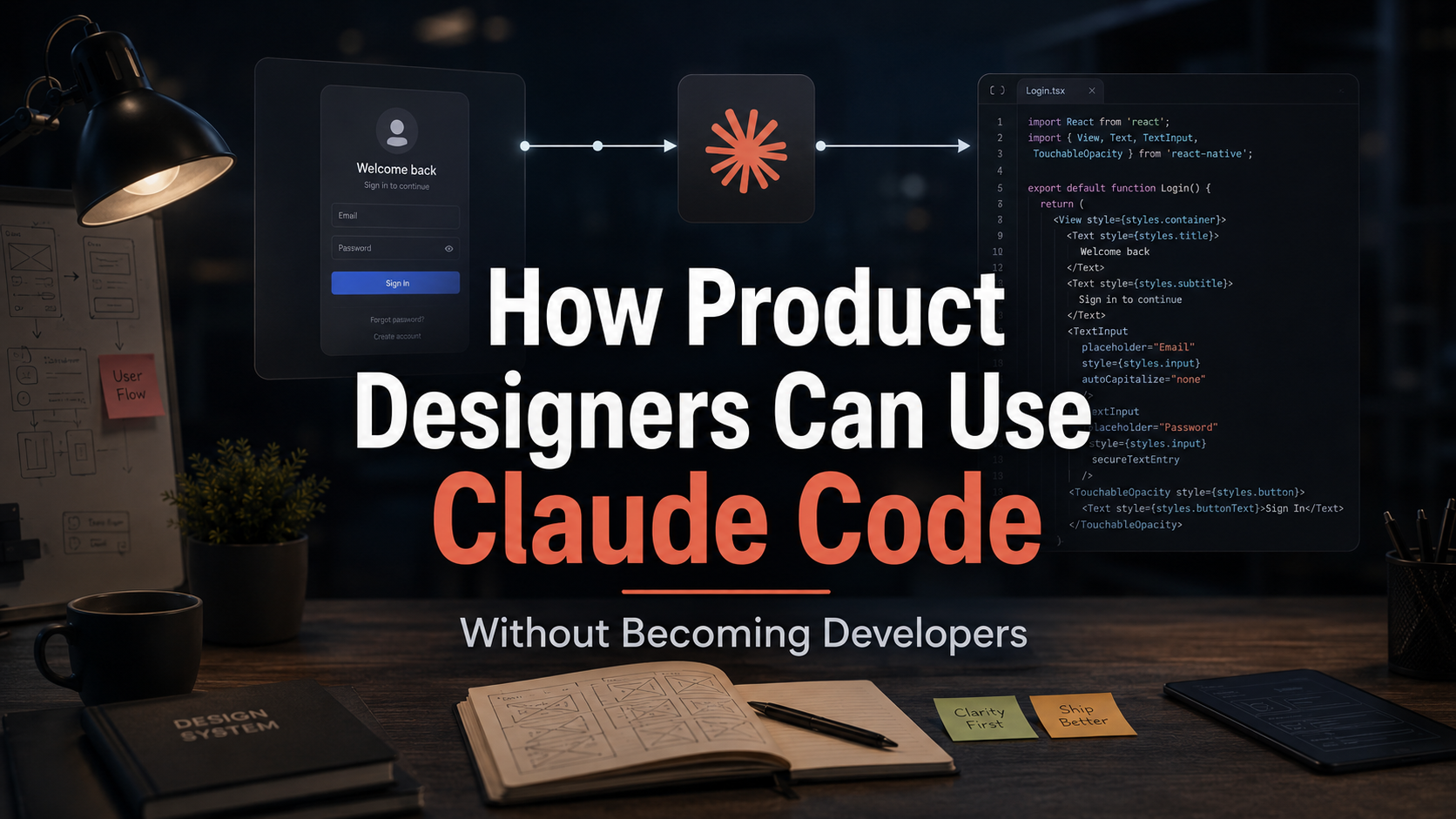
How Product Designers Can Use Claude Code Without Becoming Developers
Andrea Mabellini/October 14, 2026/AI, UX
A surprising number of product designers are interested in Claude Code for the wrong reason. They think the goal is to become “more technical” or to prove that they can now ship production code without engineers.
That is not the opportunity I find most useful.
For a designer, an agentic coding environment is valuable because it lets you manipulate a real product environment using language. You can inspect an implementation, prototype against real components, audit patterns, test hypotheses and remove a large amount of translation work.
You still need engineering judgment around architecture, security, reliability and production quality. But you no longer need to wait for a developer every time you want to understand what is possible.
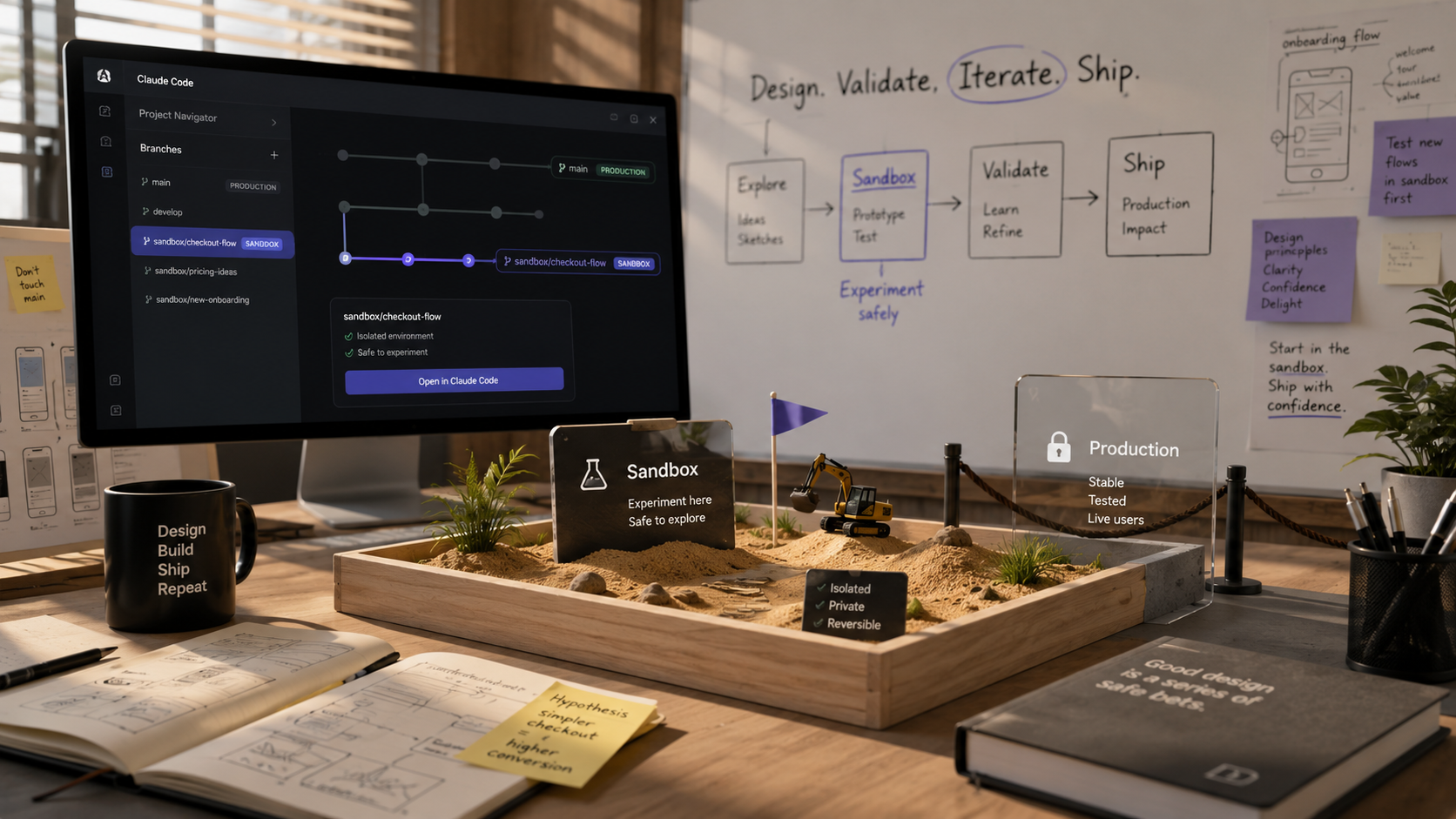
Start with a sandbox, not production
Your first rule should be simple: do not learn agentic coding by giving an AI unrestricted access to a production application.
Use:
a local clone;
a prototype repository;
a feature branch;
a disposable test environment.
Ask the agent to explain the project structure before changing anything.
Prompt: “Inspect this repository. Explain the frontend stack, where reusable UI components live, how styling is handled, where routes are defined, and how to run the project locally. Do not modify any files.”
That turns the codebase into something navigable for a designer.
Workflow 1: build a realistic prototype with existing components
The biggest difference between a coded prototype and a Figma prototype is not visual fidelity. It is behavioral reality.
You can work with real scrolling, real inputs, real responsive behavior, actual data structures and edge cases.
Give Claude Code a narrow brief:
“Create a prototype of a new billing-plan selector using only existing components and tokens. Add it as a separate route. Do not modify production flows. Use dummy data. Include monthly/annual switching, selected state and a confirmation state.”
Then run it locally and evaluate it as a product designer.
Workflow 2: audit implementation drift
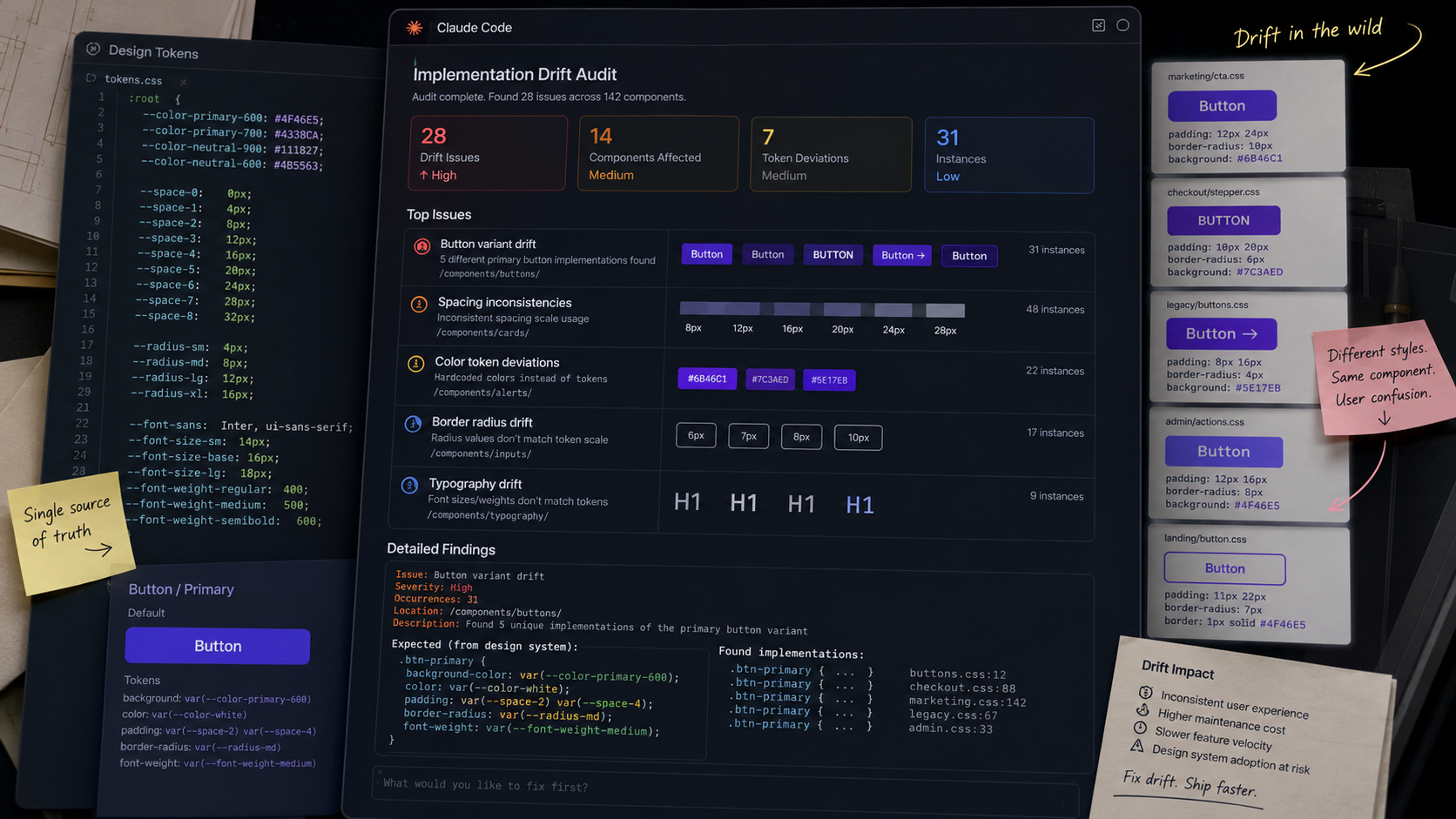
Design-system drift is often easier to detect in code than in Figma. Ask the agent to search for:
hard-coded colors;
one-off spacing values;
duplicate components;
deprecated components;
inconsistent button variants;
missing semantic tokens.
Prompt:
“Audit the frontend for design-system drift. Do not change anything. Group findings by severity and show file paths. Prioritize patterns repeated at least three times.”
Now you have evidence for design-system governance, not just aesthetic complaints.
Workflow 3: connect Figma context
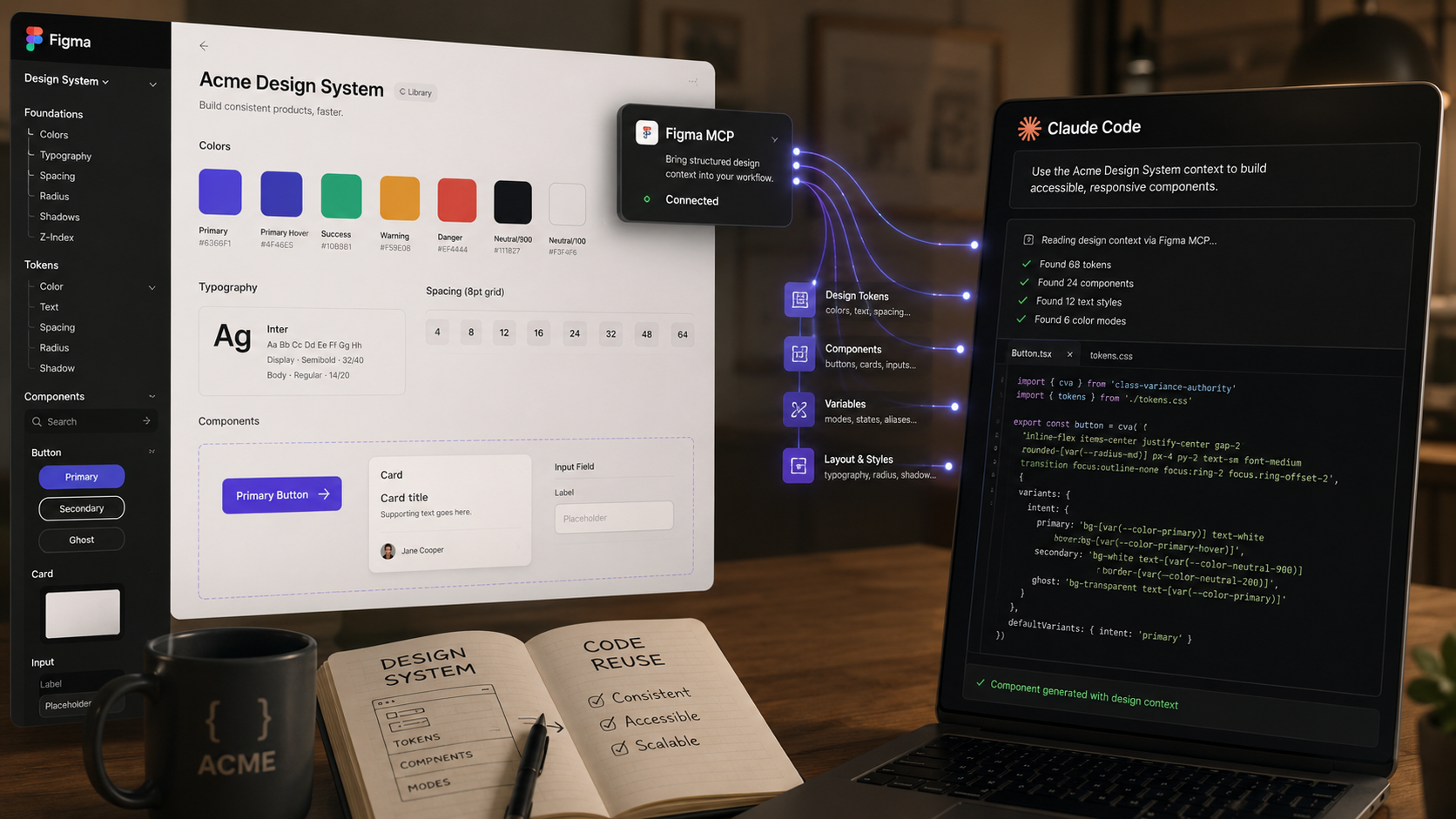
Figma’s MCP server supports clients including Claude Code. That means you can make structured design context available directly in the coding workflow.
A designer can select a frame, copy the Figma selection link, and ask Claude Code to inspect the design context before implementation.
The useful pattern is:
Give design context.
Ask for component mapping.
Review the mapping.
Approve implementation.
Run locally.
Review deviations.
This is far safer than “build what’s in this screenshot.”
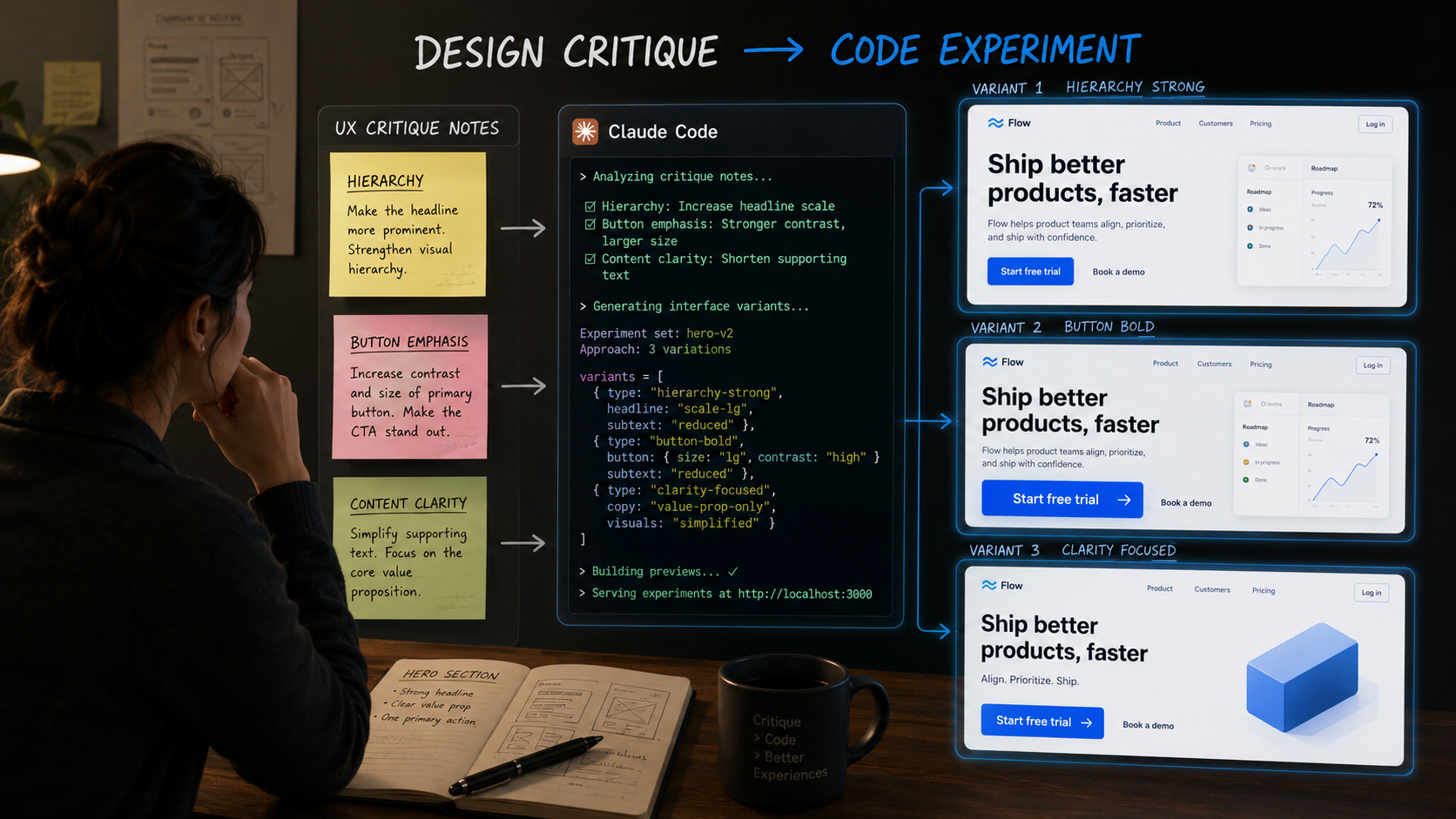
Workflow 4: turn UX critique into code experiments
Suppose you believe an onboarding flow asks for too much information before value is visible. Instead of debating the change abstractly, create an experiment branch.
Ask Claude Code to:
remove two nonessential fields;
move profile enrichment after first success;
add a progress indicator;
preserve analytics events;
leave the original flow untouched.
You can now compare two working experiences and run a usability test.
The benefit is not that the AI “designed” the alternative. The benefit is that the cost of materializing your hypothesis dropped dramatically.
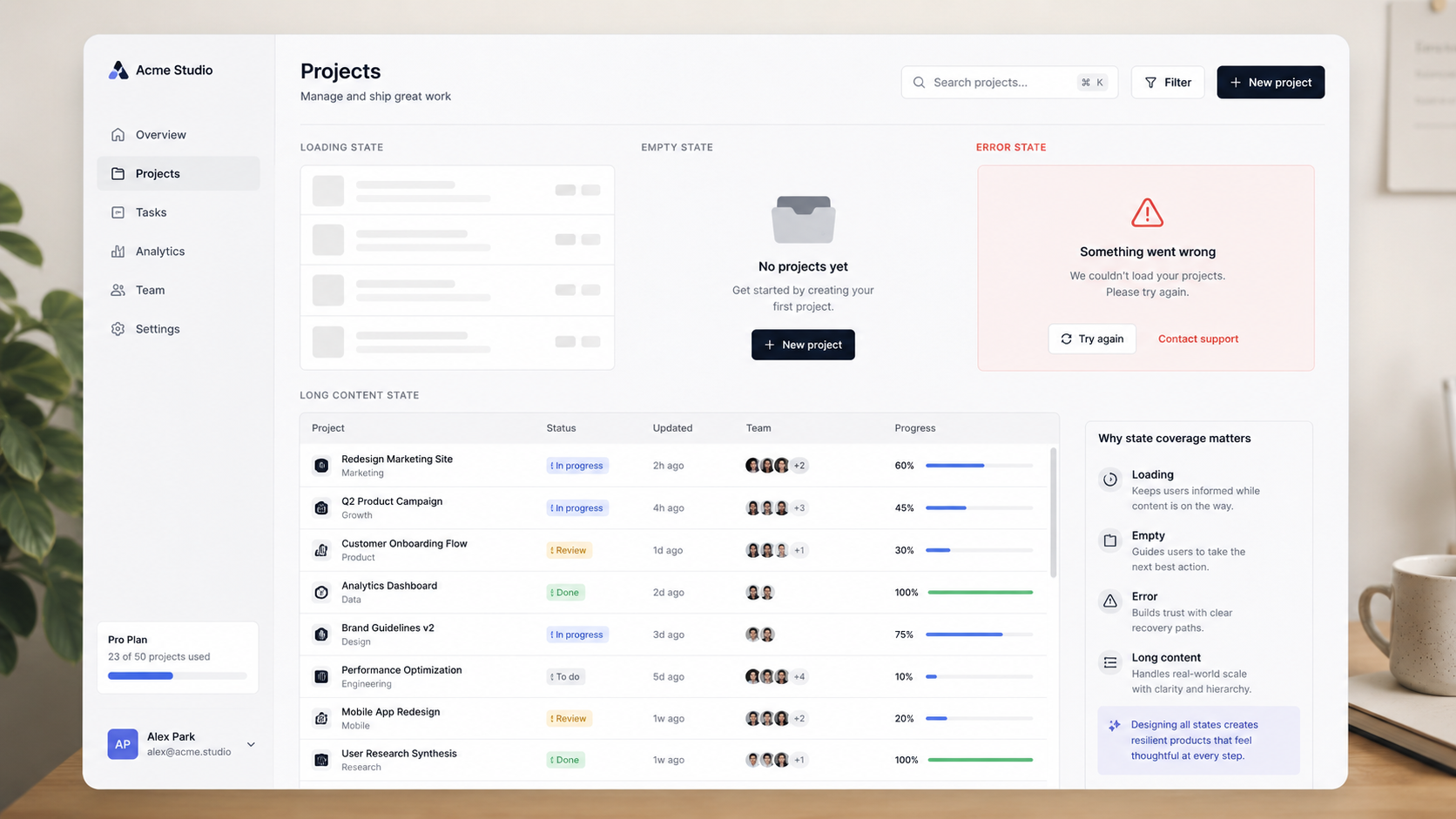
Workflow 5: generate realistic states designers forget
Static mockups disproportionately show the happy path. A coded environment forces you to think about states.
Ask:
“For this dashboard, identify every meaningful UI state implied by the implementation: loading, empty, partial data, stale data, permission denied, API error, first-time user, long content, mobile width. Create a local Storybook/example route for the missing states. Do not change production behavior.”
This is a fantastic design review tool.
Workflow 6: learn the system through questions
One of the simplest uses is also one of the best: ask the codebase questions.
Where does this component get its spacing?
Why does this form have two different error patterns?
Which pages still use the deprecated table?
What happens after this API call fails?
Is this button label hard-coded or coming from localization?
A designer who can interrogate the implementation makes better design decisions because fewer assumptions survive.
Workflow 7: automate repetitive design operations
Claude Code is also useful for the boring work around design:
generate component inventories;
compare token files;
create release-note drafts from changes;
extract strings for UX writing review;
find accessibility attributes;
build a list of routes and states;
prepare screenshots locally.
These are not glamorous. They are exactly the tasks that make senior designers faster.
The safety pattern: inspect, plan, change, verify
I use a four-step mental model whenever an AI agent can modify files.
Inspect
Ask the agent to understand the environment without editing.
Plan
Ask it to describe files it will touch and intended changes.
Change
Allow a contained implementation.
Verify
Run tests, view the UI and ask for a diff summary.
This is much safer than a single giant prompt.
What designers still need to understand
You do not need deep computer-science knowledge, but a few concepts become increasingly useful:
repository and branch;
frontend vs backend;
component;
prop;
state;
API;
environment variable;
build and test;
version control;
design token.
Think of this as design literacy for software systems, not a career change.
What not to do
Do not ask an agent to rewrite an unfamiliar production system because the existing code “looks messy.” Do not assume a passing visual review means the implementation is secure or maintainable. Do not paste secrets into prompts. Do not let the agent silently create new design patterns when reusable ones already exist.
And do not measure success by lines of code written.
The designer’s role becomes more interesting
When implementation costs fall, judgment becomes more visible.
If you can produce five prototypes in an afternoon, you still need to know which problem is worth prototyping. If you can change any interface quickly, you need stronger evidence for why it should change. If you can generate components on demand, your system needs clearer rules about which components should exist.
That is why I do not see Claude Code as a tool that turns designers into developers.
I see it as a tool that lets product designers operate closer to the material their decisions eventually become.
A one-hour starter exercise
If you are a designer opening Claude Code for the first time, do not begin by asking it to build an app. Spend one hour on an existing safe repository.
Ask it to explain the project.
Ask where the UI components and tokens live.
Ask it to find one existing screen.
Ask how that screen handles loading and errors.
Ask it to create a report of design-system inconsistencies without changing anything.
Only then ask for one small visual change on a separate branch.
This gives you a mental model of the environment before you delegate.
How to write better Claude Code instructions as a designer
Good coding-agent prompts resemble good design briefs. Include the goal, constraints, source of truth, allowed scope and success criteria.
Weak: “Make the settings page better.”
Stronger: “Improve the settings page hierarchy without changing functionality. Reuse existing components and tokens. Keep all current fields. Group related settings, improve section headings and reduce visual emphasis on secondary actions. Work only in the settings route. Show me a plan before editing.”
Ask for diffs in product language
After the agent changes code, ask it to explain the change as a designer would review it:
what changed visually;
what changed behaviorally;
which files changed;
which system components were reused;
what new states were introduced;
what remains uncertain.
You do not need to read every line of code to understand the product impact.
Use screenshots as verification, not specification
Visual comparison is useful after implementation. It is weaker as the only input. If you have access to FigmaMCP, provide structured context and then use screenshots to verify the result.
A screenshot tells the agent what something looked like once. Structured design context can tell it what components and variables mean.
A practical design-system audit
Ask Claude Code:
“Scan the frontend and produce a report with: hard-coded color values, spacing values outside our token scale, duplicated button-like components, deprecated component imports, and components with nearly identical markup. Do not modify files. For each finding give frequency and file paths.”
Then review the report with engineering. Some deviations are intentional. Others are exactly the maintenance debt nobody had time to inventory.
A practical accessibility review
Claude Code can inspect code for obvious accessibility concerns, but it should not be treated as a complete accessibility audit.
Useful tasks include checking for missing labels, non-semantic clickable elements, absent alt attributes, focus handling, keyboard event assumptions and inconsistent error associations.
Follow automated findings with real testing: keyboard, screen reader where relevant, zoom, contrast and actual user needs.
A practical UX-writing extraction
For large products, ask the agent to extract user-facing strings from a feature into a table with file path, string, context and likely state.
This gives a UX writer or product designer a review surface without clicking through the entire application.
You can then identify terminology drift, inconsistent capitalization, destructive action labels, vague errors and duplicate concepts.
A practical prototype workflow with Figma MCP
Select the Figma frame.
Give Claude Code the selection context.
Ask for component mapping only.
Review system reuse.
Ask for implementation on a prototype route.
Run locally.
Ask Claude to enumerate deviations.
Decide whether to update design, code or both.
This turns the agent into a bridge, not an autonomous product team.
When to bring an engineer in
Bring engineering judgment early when the prototype touches authentication, customer data, payments, permissions, backend migrations, performance-sensitive architecture or production infrastructure.
The point of a coding agent is not to remove expertise. It is to make expertise more leverageable.
Version control is your safety net
Even a designer should learn the basic discipline of branches and commits. Before a meaningful change, create a branch. After a coherent change, commit it. If the experiment goes wrong, revert.
This simple habit makes exploration much less intimidating.
What I would automate next
Once you are comfortable, create small deterministic scripts rather than asking Claude to repeat the same operation every week. If you routinely generate a report, import content, rename assets or build release notes, let Claude build the script once. Then run the script without consuming AI tokens.
This is the difference between using an agent as labor and using it to create infrastructure.
Why this changes design careers
Designers who can move comfortably between product intent, design systems and working software gain a new kind of independence. They can test ideas earlier, understand constraints directly and have richer conversations with engineers.
The advantage is not becoming a mediocre full-time coder. It is becoming a stronger product designer with a shorter distance between a decision and evidence about that decision.
Practical review pass 1: turning the workflow into a team habit
Before adopting this workflow in a real product team, run one final review. What problem is this solving? Which part of the output comes from evidence and which part comes from generation? What system or guideline should constrain the result? Who is accountable for the final decision? What could go wrong if the output is confidently wrong?
Then review the artifact with the people who will live with the consequence. Designers should inspect interaction quality and consistency. Researchers should protect evidence quality. Engineers should review technical implications. Product managers should confirm that the work still addresses the intended outcome. AI can compress the path between these disciplines, but it should not erase their different forms of expertise.
Finally, document what worked. If a prompt, setup or sequence repeatedly saves time, turn it into a reusable team workflow. If it repeatedly creates cleanup, stop using it. The goal is not maximum AI usage. The goal is a better product-development system.
Practical review pass 2: turning the workflow into a team habit
Before adopting this workflow in a real product team, run one final review. What problem is this solving? Which part of the output comes from evidence and which part comes from generation? What system or guideline should constrain the result? Who is accountable for the final decision? What could go wrong if the output is confidently wrong?
Then review the artifact with the people who will live with the consequence. Designers should inspect interaction quality and consistency. Researchers should protect evidence quality. Engineers should review technical implications. Product managers should confirm that the work still addresses the intended outcome. AI can compress the path between these disciplines, but it should not erase their different forms of expertise.
Finally, document what worked. If a prompt, setup or sequence repeatedly saves time, turn it into a reusable team workflow. If it repeatedly creates cleanup, stop using it. The goal is not maximum AI usage. The goal is a better product-development system.
Practical review pass 3: turning the workflow into a team habit
Before adopting this workflow in a real product team, run one final review. What problem is this solving? Which part of the output comes from evidence and which part comes from generation? What system or guideline should constrain the result? Who is accountable for the final decision? What could go wrong if the output is confidently wrong?
Then review the artifact with the people who will live with the consequence. Designers should inspect interaction quality and consistency. Researchers should protect evidence quality. Engineers should review technical implications. Product managers should confirm that the work still addresses the intended outcome. AI can compress the path between these disciplines, but it should not erase their different forms of expertise.
Finally, document what worked. If a prompt, setup or sequence repeatedly saves time, turn it into a reusable team workflow. If it repeatedly creates cleanup, stop using it. The goal is not maximum AI usage. The goal is a better product-development system.
Design impactful user experiences with ease—everything you need is at your fingertips.
Feel free to reach out for a project inquiry, a coffee chat, or a consultation. Let’s explore how I can help you achieve your design goals. Whether it’s crafting impactful experiences or discussing innovative ideas, I’m here to collaborate and bring value to your vision.