How to Use the New Figma Agent: 7 Workflows Product Designers Can Use Today
Andrea Mabellini/September 14, 2026/AI, UX
There is a predictable mistake happening with AI design tools right now: teams open the new assistant, type “design a dashboard,” get a vaguely competent result, and decide the tool is either magic or useless. Both conclusions are wrong.
The more interesting shift is not that Figma can generate interfaces. It is that the design environment is becoming agentic: the tool can increasingly understand context, inspect a system, use connected data, create or modify native design content, and participate in a workflow rather than merely respond with pixels. Figma’s current direction makes that explicit. Its agent can work in Figma Design and Make, custom MCP connectors can bring external context into the agent, and Figma’s MCP server can expose components, variables, layouts and other structured design information to supported AI clients.
For product designers, that changes the question from “Can AI design?” to something much more practical: which parts of my workflow should I delegate, and which parts should remain deliberate human work?
I have been testing that question against the activities that consume real time in product design: getting from ambiguity to something discussable, exploring variants, cleaning systems, preparing critique, translating research into interface changes, and making handoff less lossy. The most useful workflows are not the flashy ones. They are the ones that compress repetitive work while leaving the designer in control of intent.
1. Turn a rough brief into a first flow, not a finished UI
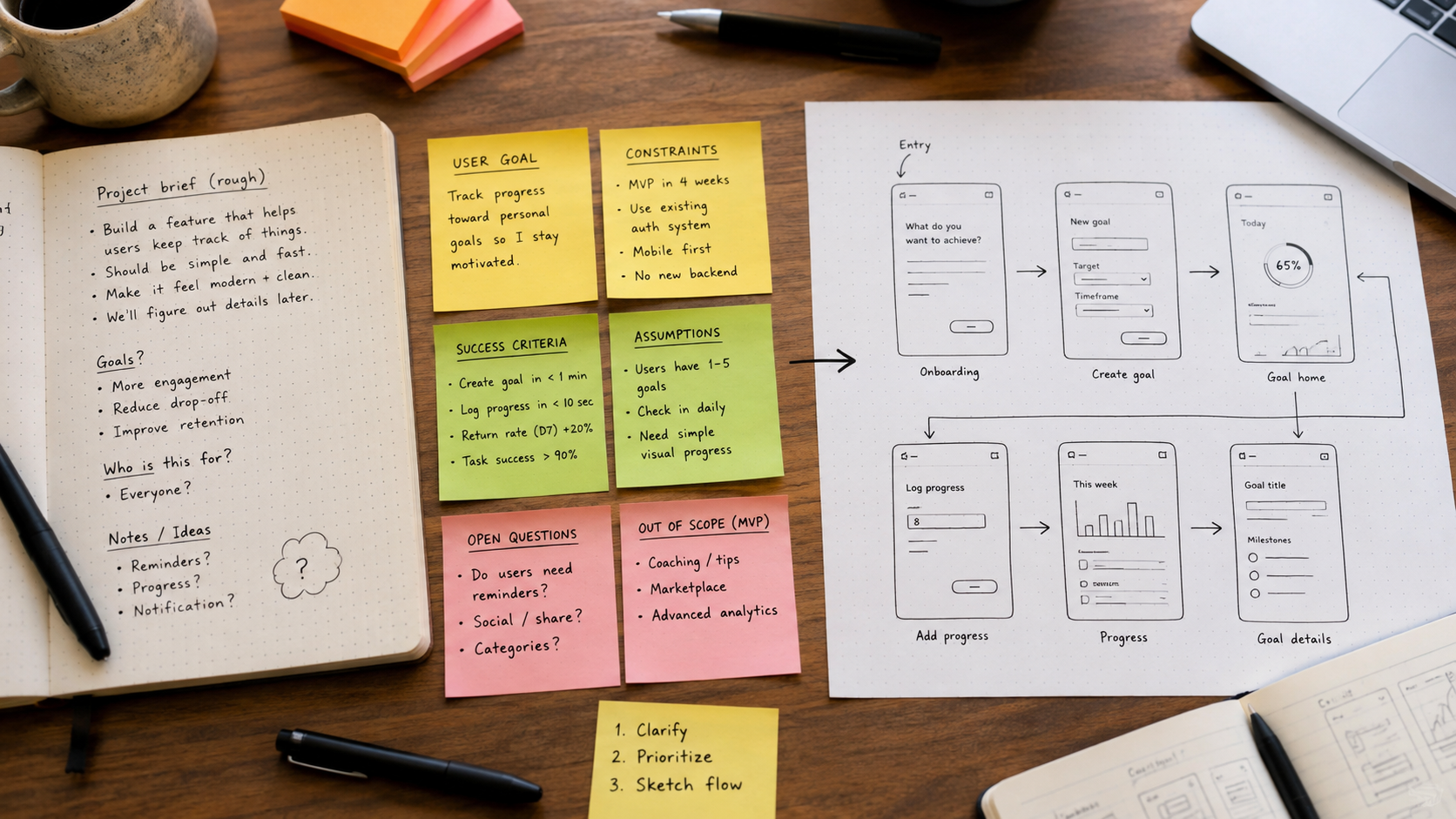
One of the best uses of an agent is to get from an empty canvas to a structure you can critique. Starting from nothing is expensive because every decision is entangled: scope, sequence, information hierarchy, screen count, edge cases, and visual direction. A generated first pass can separate those questions.
Do not ask for “a beautiful onboarding.” Ask for the smallest coherent flow that satisfies a concrete user goal. For example:
Prompt: “Create a five-step onboarding flow for a B2B analytics product. The user needs to connect a data source, choose one business goal, invite a teammate, and reach a first useful dashboard. Keep each screen focused on one decision. Use existing components where possible. Do not add educational screens unless they remove uncertainty.”
Then critique the result as you would critique a junior designer’s draft. Is the sequence logical? Is there a step that exists only because onboarding convention says it should? Does the first useful outcome arrive quickly enough? Which decisions can be deferred?
The agent is useful here because it gives you something concrete to disagree with. That is a much better starting point than treating its first output as the solution.
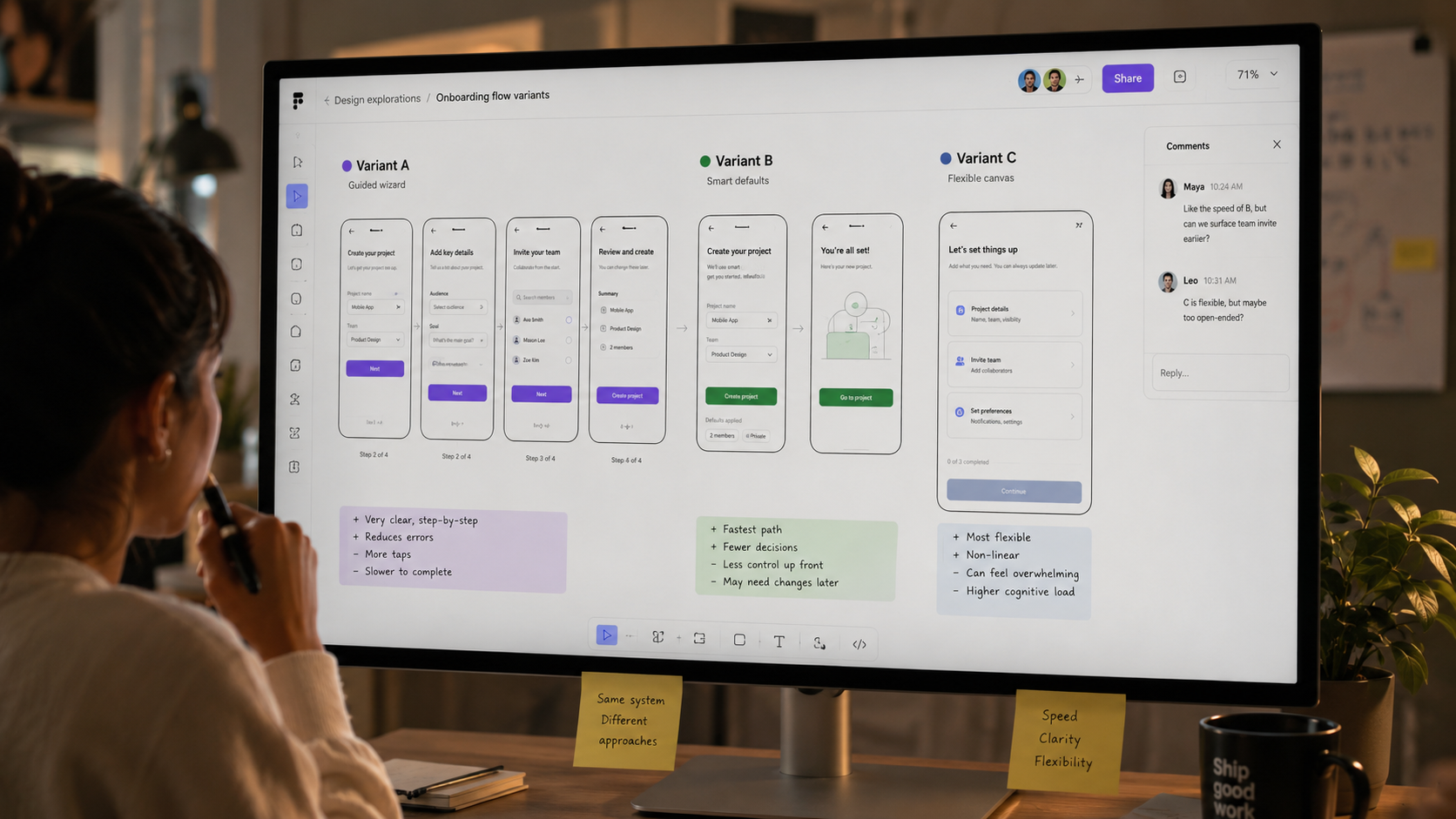
2. Use the agent as a variant machine
Designers often under-explore because producing alternatives takes time. AI changes that economics. If a decision can be represented as a bounded design problem, you can ask for variations around a stable constraint set.
Imagine a pricing page where the business wants to highlight annual billing without making monthly pricing feel punitive. Instead of generating three random pages, hold the information architecture steady and vary the mechanism:
Version A: default to monthly, visually recommend annual.
Version B: use a billing toggle with quantified savings.
Version C: show both prices simultaneously and frame annual as total value.
Version D: personalize the recommendation based on team size.
Ask the agent to create these as comparable frames with the same component system. Now the design review is about the trade-off, not the quality of four manually drawn alternatives.
The important rule is: vary one strategic dimension at a time. If layout, copy, pricing logic and visual style all change simultaneously, the comparison becomes meaningless.
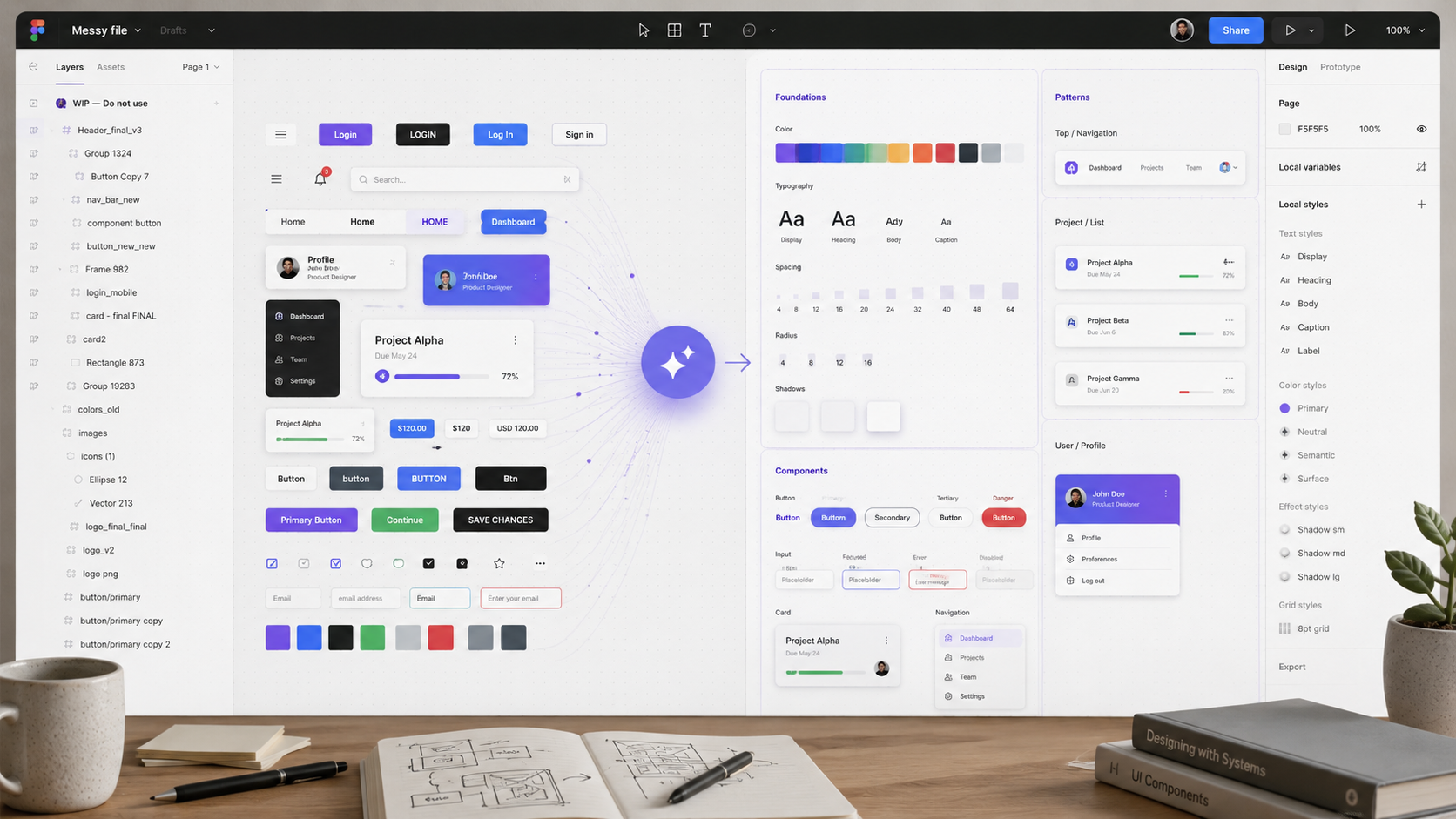
3. Refactor a messy file using your design system as the constraint
Generative AI is impressive, but design-system hygiene is where agents can create surprisingly mundane value. Figma’s MCP direction is important because structured variables, components and libraries give an agent better context than a screenshot ever could.
A useful workflow is to point the agent at a contained area and ask it to identify drift:
Prompt: “Inspect these frames and identify places where local styles, detached components, inconsistent spacing or duplicate patterns are being used instead of the design-system primitives. Do not change anything yet. Return a proposed cleanup plan grouped by impact.”
Only after reviewing that plan should you let it modify the canvas.
This two-step pattern — inspect first, act second — is worth adopting broadly. It makes the agent legible. You see what it thinks the problem is before it starts editing.
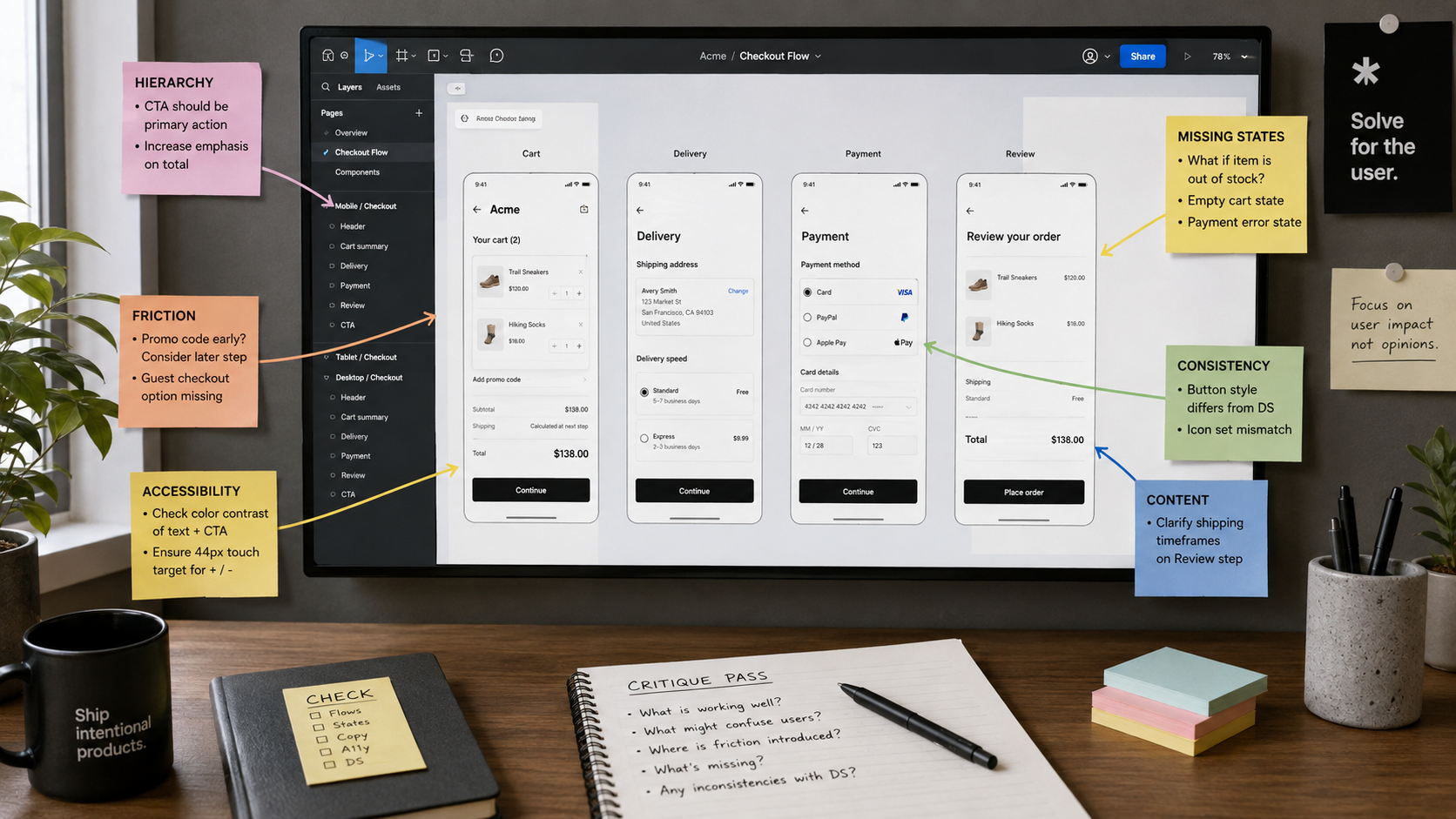
4. Build a critique pass before the design review
A senior designer does not need AI to tell them whether a button is aligned. But an automated critique pass can surface the class of small inconsistencies that steals attention during a review.
Ask for four separate lenses:
Task clarity: Can a user tell what to do next?
Hierarchy: Are the most important actions visually dominant?
Consistency: Are repeated patterns behaving the same way?
Accessibility: Are there obvious contrast, labeling, target-size or state issues?
Do not ask “is this good UX?” That produces generic advice. Ask the agent to evaluate against a checklist and point to specific frames.
The result is not the critique. It is pre-critique. It removes noise so the human discussion can focus on product decisions.
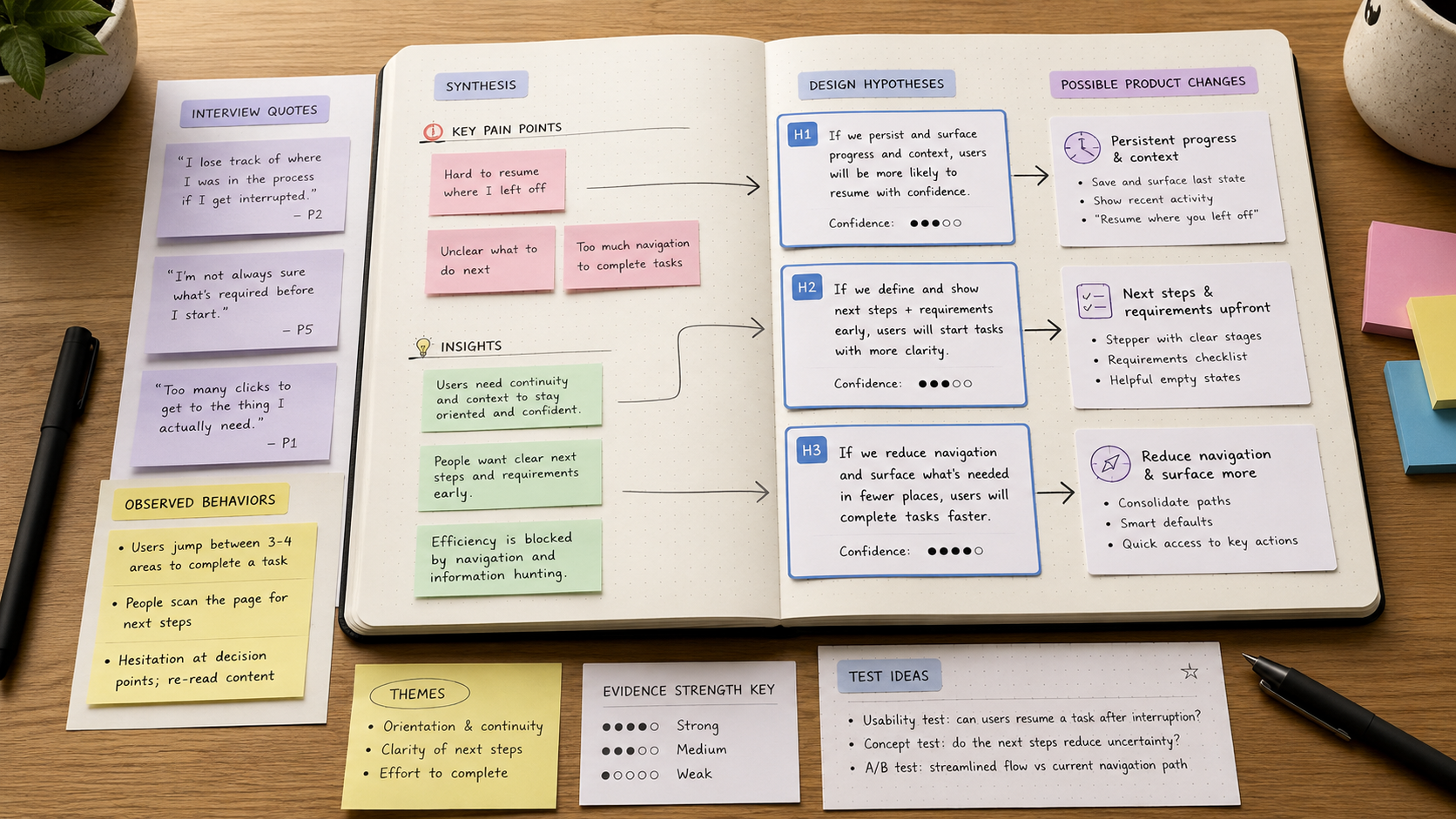
5. Translate research findings into design hypotheses
Research synthesis often stops one step too early. Teams extract themes — “users are confused by permissions,” “people do not trust the recommendation,” “new users miss the export action” — but translating those themes into testable interface changes still takes work.
Give the agent a short set of evidence and ask it to generate hypotheses, not solutions.
Prompt: “Based only on these findings, create six design hypotheses. Each hypothesis must include: observed problem, proposed change, expected user behavior, risk, and what we would measure. Do not invent user evidence.”
Then choose two or three hypotheses and ask the agent to visualize them in the existing product flow.
This keeps a useful separation: research establishes evidence; the agent accelerates the transformation of evidence into candidate interventions.
6. Use connected context instead of giant prompts
The most consequential improvement in agentic design is not better prompt wording. It is better context. Figma’s custom MCP connectors are a good example: external systems can be made available as context to the Figma agent or Make. Figma’s own MCP server does the reverse by bringing structured design context into supported coding agents.
That means teams can move away from prompts that try to explain the entire organization in 1,500 words. Instead, connect the source of truth.
For example, an internal design-system MCP server could expose component guidance, accessibility rules, product terminology and content standards. A project-management connector could provide a feature brief. The agent can then operate with current information rather than a copied snapshot.
The design implication is important: context architecture is becoming part of design operations. Teams that organize their tokens, component semantics, documentation and product vocabulary will get better results than teams with prettier but poorly structured files.
7. Create a design-to-code review loop, not a one-way handoff
Traditional handoff assumes design happens first and implementation follows. Figma’s MCP server is moving toward a more circular model: agents can read structured design context, Code Connect can associate design components with real code components, and supported workflows can move from code back to editable canvas content.
For a product designer, the practical workflow is:
Select the agreed design frame.
Give the implementation agent the Figma context.
Ask it to use existing code components and tokens rather than recreating them.
Run the implementation.
Capture the live UI back into a design review context.
Compare intended behavior with rendered behavior.
Resolve deviations intentionally, not cosmetically.
This is more powerful than “Figma to code” because it acknowledges that implementation changes the design. Responsive behavior, data density, technical constraints and edge cases often reveal problems that were invisible in a static frame.
The workflow I would actually adopt
If I were introducing Figma Agent to a product team tomorrow, I would not begin with a company-wide “AI design transformation.” I would choose three repeatable tasks:
first-pass flow generation from structured briefs;
pre-review critique and consistency checks;
design-system-aware variant generation.
For every task I would define the same operating rule: the agent proposes, the designer evaluates, the system records what good looks like.
After a few weeks, the useful prompts become less important than the useful patterns. The team learns which context must always be provided, which decisions require human review, and where automation consistently saves time.
What not to delegate
There are still categories of design work where speed is not the constraint.
Do not delegate the interpretation of ambiguous stakeholder politics to an agent. Do not let generated personas replace access to real users. Do not let visual completeness disguise weak product logic. And do not confuse a coherent interface with a validated product decision.
AI makes producing artifacts cheaper. It does not make consequences cheaper.
The deeper shift
The Figma Agent matters because it changes the unit of design work. We are moving from manipulating individual objects toward directing systems that can inspect, generate, connect and revise those objects.
That does not make craft irrelevant. It changes where craft is applied.
A strong designer increasingly defines the problem, establishes the constraints, supplies the right context, judges the output, and knows when the output should not exist at all.
The best way to use an agent is therefore not to ask it to be the designer. It is to make it a fast, tireless collaborator inside a design process that is still unmistakably yours.
A practical setup before you start
Before using any of these workflows in a real team, spend thirty minutes making the environment legible. Create one experimental page in the Figma file, agree which library is the source of truth, and decide which categories of changes the agent may make without approval. If you are working in a shared product file, this matters more than prompt quality.
I would define three zones: a protected production area, an experimental area where generation is allowed, and a review area where selected outputs are placed before adoption. That small governance layer prevents AI experimentation from creating another source of design-system entropy.
Also define what counts as a successful use of the agent. “It generated something” is not success. A better measure might be: time to a critique-ready first flow, number of repeated manual cleanup steps removed, or percentage of generated elements that correctly reuse system components.
Seven prompts worth saving
Rather than maintaining a giant prompt library, I would save a handful of prompts tied to repeatable jobs.
Flow exploration
“Create three alternative flows for this user goal. Keep the same functional requirements, but vary the interaction model. Use existing components. For each flow, explain the trade-off in one sentence.”
System cleanup
“Inspect this page for detached components, local styles, inconsistent spacing and repeated patterns that should probably be components. Return findings first. Do not modify the file until I approve.”
Accessibility pre-check
“Review these frames for obvious accessibility risks involving hierarchy, contrast, labels, focus order assumptions, target size and error communication. Separate confirmed visual issues from things that require testing in code.”
UX copy
“Rewrite this interface copy for clarity and brevity. Preserve product terminology. For every suggested change, explain the user uncertainty it removes.”
Empty states
“Identify every empty state implied by this flow. Create a proposal for each one using our existing components. Each state must explain what happened, why it matters and the next useful action.”
Design review preparation
“Create a critique checklist for this feature based on its user goal, business goal, key risk and known research findings. Do not critique visual taste; focus on decision quality and usability.”
Handoff
“Inspect this final flow and generate a handoff risk list: states not designed, unclear interactions, missing content rules, responsive questions, analytics requirements and design-system exceptions.”
What the agent is bad at when context is weak
There are patterns I would expect to see repeatedly when the agent lacks context. It will often create a superficially polished but semantically generic hierarchy. It may choose components because they look plausible rather than because they belong to your system. It can over-explain interfaces with tooltips, banners and helper copy. It may create additional screens instead of simplifying the underlying decision.
These are not reasons to avoid the tool. They are signals that the task needs better constraints. If the agent invents a new button variant, ask whether your prompt pointed it to the correct library. If it produces a seven-screen onboarding, ask whether you gave it the actual activation event. If the copy sounds generic, provide your terminology and content principles.
How I would introduce this to a design team
Week one should be observation, not transformation. Ask every designer to use the agent on one bounded task and record what it saved, what it got wrong and what context would have improved the result.
In week two, compare those notes and define two or three approved workflows. Standardize the prompts, required inputs and review criteria. In week three, connect useful context such as system documentation or MCP resources. Only after that would I discuss broader automation.
This avoids the common failure mode where everyone experiments independently, produces inconsistent artifacts and concludes that AI is unpredictable. Often the real problem is that the organization has never defined a predictable workflow.
A final rule: use AI where iteration is valuable
The best agent tasks are tasks where you benefit from seeing alternatives, detecting omissions or reducing repetitive setup. The worst are decisions that need accountability, interpretation of weak evidence or deep understanding of organizational context.
Use the agent to expand and compress. Expand the space of possibilities. Compress the mechanical effort required to make a possibility visible. Keep responsibility for choosing, validating and shipping with the design team.
Design impactful user experiences with ease—everything you need is at your fingertips.
Feel free to reach out for a project inquiry, a coffee chat, or a consultation. Let’s explore how I can help you achieve your design goals. Whether it’s crafting impactful experiences or discussing innovative ideas, I’m here to collaborate and bring value to your vision.