You send a carefully written prompt, watch the activity indicator, and reach for another tab. A few seconds become a conversation in Slack. The model finishes, but you have moved into a different problem. When you return, the answer is ready and your judgment is not. You read it quickly, accept a plausible direction, and lose the advantage the tool was supposed to create.

A notebook beside a laptop illustrates preparing an independent acceptance test while a task runs. Editorial illustration, not a client study. Credit: MJ Duford / Unsplash.
For a UX Lead, the question is not how to keep every second occupied. It is how to protect the decision that the AI output will inform. Waiting can support that decision, undermine it through interruption, or provide a legitimate pause. Treating every interval as an opportunity for more work is an especially poor default in an already fragmented role.
I would organize the interval around three things: the expected length of the job, the consequence of the decision, and the ease of resuming. The practical method below is a proposed working routine, not a productivity claim supported by a measured client study. All scenarios are hypothetical. Its purpose is to make AI-assisted work more deliberate without turning the person into a scheduler for the machine.
First, distinguish processing from uncertainty about execution
Before deciding what to do while waiting, establish whether the system is actually working. A visible animation is not proof that a job started. A long-running search may be active, blocked on permission, waiting for clarification, or disconnected. These states require different behavior. If the system needs your answer, starting another task delays the work rather than making the interval useful.
Look for a confirmed task state and a clear completion route. For a background workflow, identify where the result will appear and whether leaving the screen affects execution. If the product does not provide that information, treat it as a design limitation. Avoid building a personal routine around an unsupported assumption that the agent continues after the application closes.
For UX teams building these tools, this is also a product requirement. Communicate useful milestones that reflect real activity. Explain whether cancellation stops computation, prevents later actions, or merely dismisses the view. Do not invent a percentage to make an uncertain process appear predictable. The operational truth matters more than the attractiveness of the loading state.
Write the acceptance test before reading the answer
The most valuable small task is often to decide how you will evaluate the output. After requesting an onboarding critique, write three questions: Does it identify the user's actual next decision? Does it distinguish observed problems from assumptions? Does it propose a change that fits the product constraints? These questions make the eventual review less vulnerable to fluent presentation.
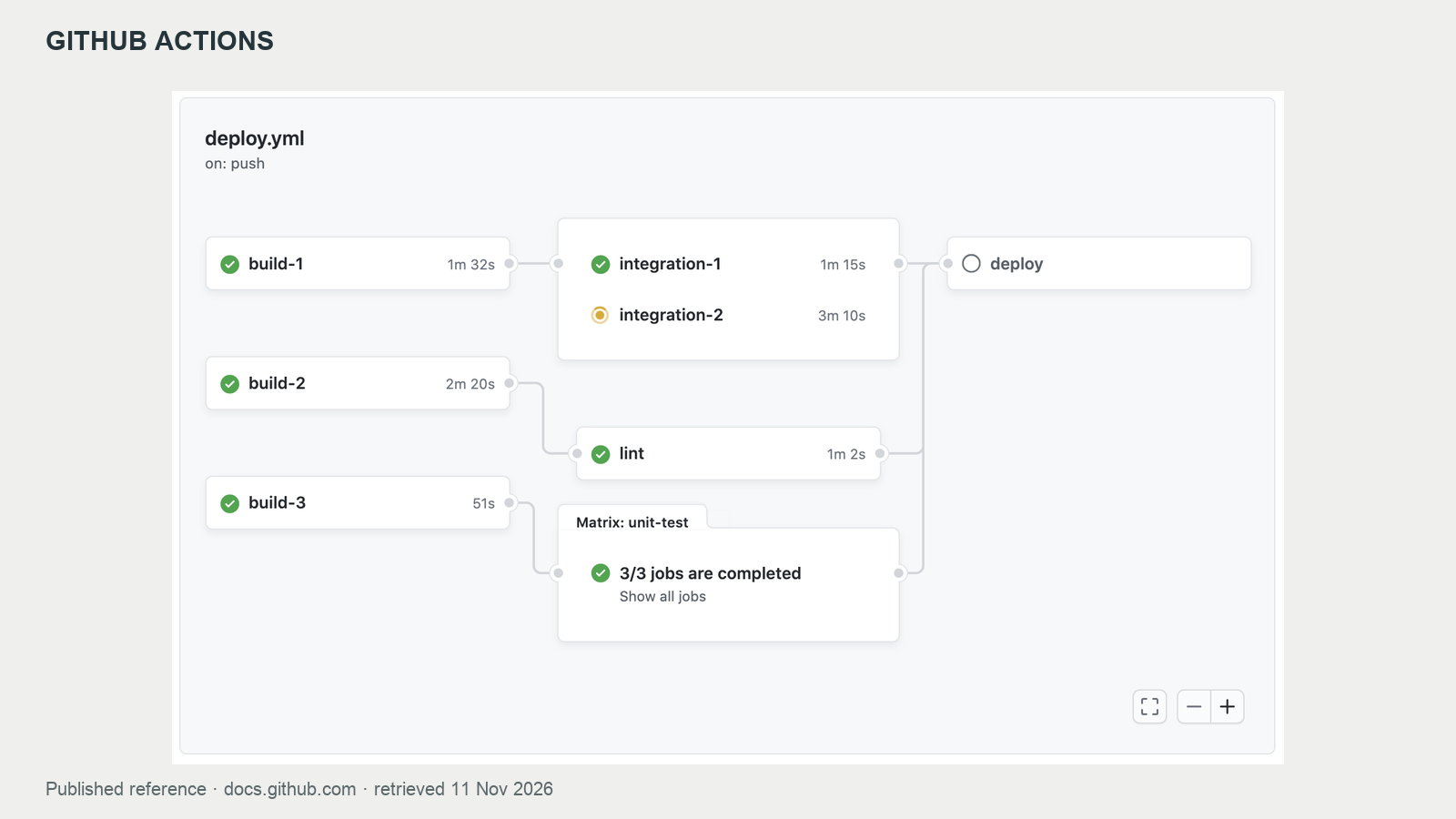
GitHub’s documented workflow graph distinguishes job states and dependencies. This is a published demonstration, not a run executed for this article. Credit: GitHub Actions / official documentation.
Do this independently of the generated answer. If you wait until you have read a polished response, you may unconsciously use its structure as your evaluation framework. A model that provides five confident recommendations can make the absence of a sixth, more important issue difficult to notice. An independent checklist preserves the problem you meant to investigate.
Keep the test short enough to use. A request to rewrite a confirmation message may need only clarity, accuracy and preserved terminology. A request to synthesize research needs evidence traceability, contradiction handling, scope and privacy checks. The effort should follow the consequence of the task. The goal is a usable review lens, not a second elaborate deliverable.
Match the activity to the interval without making timing promises
For an interval too short to leave meaningfully, stay with the task or look away from the screen. There is no professional obligation to manufacture a microtask. For a somewhat longer interval, write an assumption, mark an evidence gap, or prepare a comparison. For a job with dependable background execution, a separate block of work may be reasonable.
These are planning categories, not universal thresholds. A ten-second interruption can be disruptive during a delicate analysis, while several minutes may be easy to use during administrative work. Your familiarity with the task and the reliability of the tool matter. Observe your own resumption cost rather than adopting an arbitrary schedule presented as a scientific rule.
A useful question is: can I stop this activity cleanly when the result arrives? Reviewing one acceptance criterion usually has a clear endpoint. Opening a difficult stakeholder thread often does not. If an activity creates a new obligation, requires a social response, or changes your emotional focus, it may be an expensive companion to a short AI job.
Prepare evidence instead of generating more opinions
Suppose the AI is reviewing a proposed account-switching flow. While it works, find the relevant research note, support ticket category, or permission constraint. You are preparing the material that will let you challenge the critique. This is more valuable than asking a second model for an unrestricted opinion and accumulating two equally ungrounded recommendations.
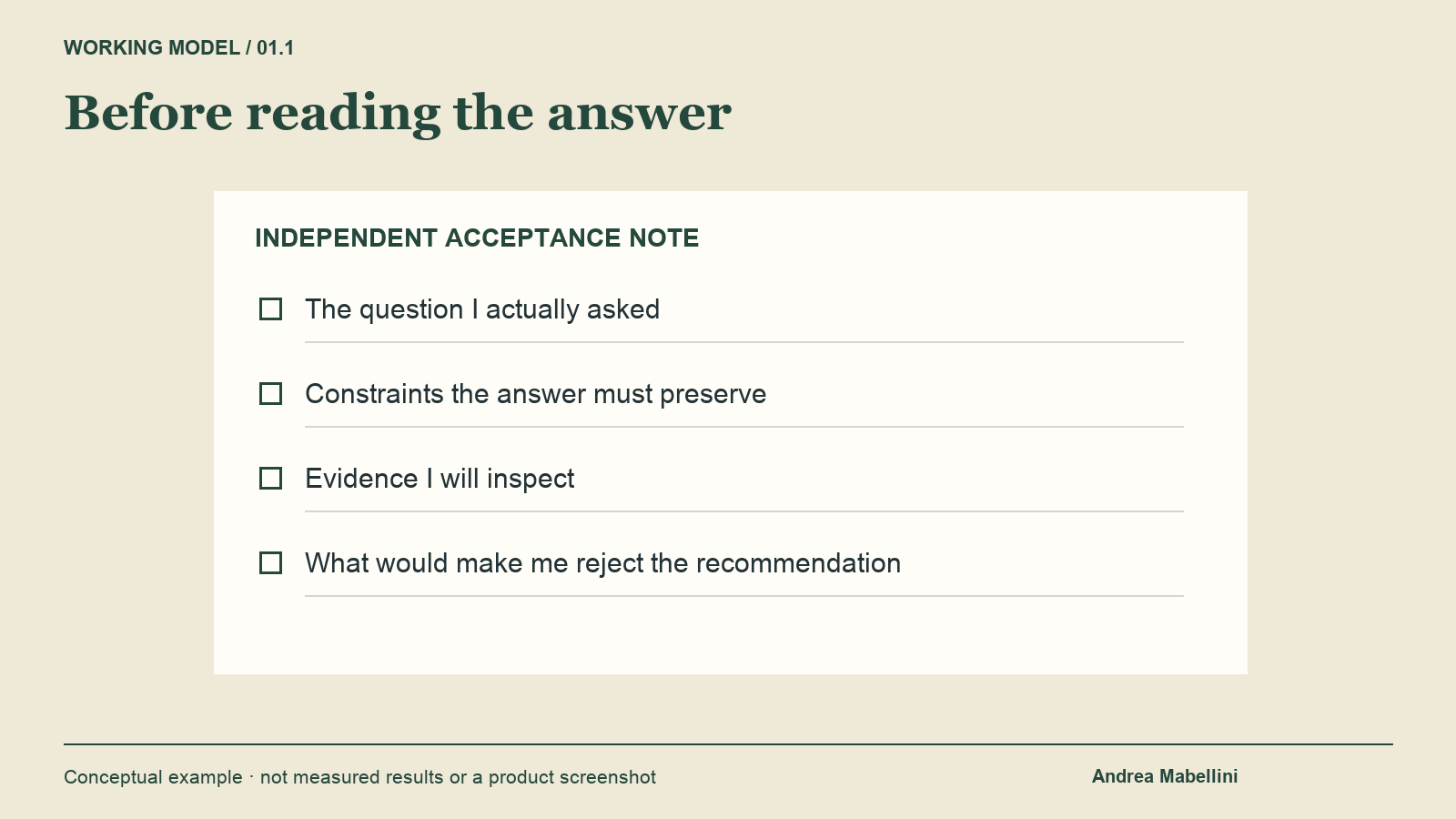
Before reading the answer. Original conceptual working model; no measured results. Credit: Original editorial visual prepared for Andrea Mabellini.
Keep evidence handling within the team's approved environment. Do not copy confidential research into another tool simply because the first tool is busy. Record a link or a permitted summary, and note what the evidence can establish. A support complaint can reveal a specific obstacle; it does not automatically establish how frequently the entire population experiences it.
When the answer arrives, compare its claims with that evidence. If it says users need more guidance, ask which observation supports that conclusion. If it recommends removing a step, check whether the step reflects a real authorization requirement. Waiting has then strengthened the review process instead of multiplying the amount of generated material that needs attention.
Build a small queue of bounded companion tasks
UX Leads repeatedly encounter a few tasks that fit naturally beside AI processing. Clarify the decision owner. Write the alternative you expect the model to overlook. Check one terminology rule. Locate the relevant component. Note what would make the recommendation unacceptable. These activities share context with the main task and can usually stop without leaving a complicated loose end.
Maintain a short personal list, but do not turn it into another backlog. The list should remove the need to decide what to do during every interval. It might contain only four options: acceptance test, source check, constraint check and pause. Select the activity before sending the prompt when possible. That reduces the temptation to drift into whichever notification happens to be visible.
For a team, offer the routine as an option rather than a performance expectation. A designer should not need to demonstrate continuous visible activity while a model runs. Different people have different access needs, energy patterns and working environments. The useful standard is the quality of the completed decision, including whether important uncertainty remains visible.
Use longer jobs to create a deliberate handoff to yourself
If the agent is producing a substantial analysis, write a resumption note before moving away. Include the original question, the version of the material submitted, the expected output location and the first thing to check. A note such as “Compare navigation alternatives against permission constraints before reviewing visual polish” provides a better return path than a generic reminder to check the AI.

A quiet workspace illustrates taking a deliberate pause instead of creating another obligation. Credit: Todd Jiang / Unsplash.
Also record what must not happen automatically. Perhaps the agent may prepare alternatives but cannot alter the shared design file. Perhaps the draft must remain internal until a researcher checks the evidence. These boundaries are part of the task state. They prevent a background job from acquiring more authority simply because the person temporarily directed attention elsewhere.
Choose a separate task that can occupy a real block. Constantly switching between two unfinished jobs can create more coordination work than either task alone. If the background system has reliable notifications, let it notify you at completion or when a decision is needed. If it does not, use a planned check rather than repeatedly reopening the activity view.
Avoid parallel prompts that create conflicting realities
It can feel efficient to launch several agents on the same design file while waiting. That only helps if the work is independent and the outputs can be reconciled. Two agents editing the same components, changing terminology or reorganizing the same navigation may produce conflicts that are invisible until someone tries to integrate the results.
Separate exploration from mutation. One job can inspect accessibility risks while another proposes copy, provided both work from an identified version and neither silently changes the source. Assign distinct outputs and a clear integration owner. If jobs depend on each other's results, acknowledge that dependency instead of pretending the entire workflow can run simultaneously.
For example, a research synthesis should not be treated as complete while another job is still extracting the evidence it depends on. Generating the executive summary early may anchor the narrative before contradictions are available. Use parallel work to broaden independent investigation, then reserve attention for integration. The machine's ability to run multiple jobs does not remove the need for coherent sequencing.
Make returning to the output a separate step
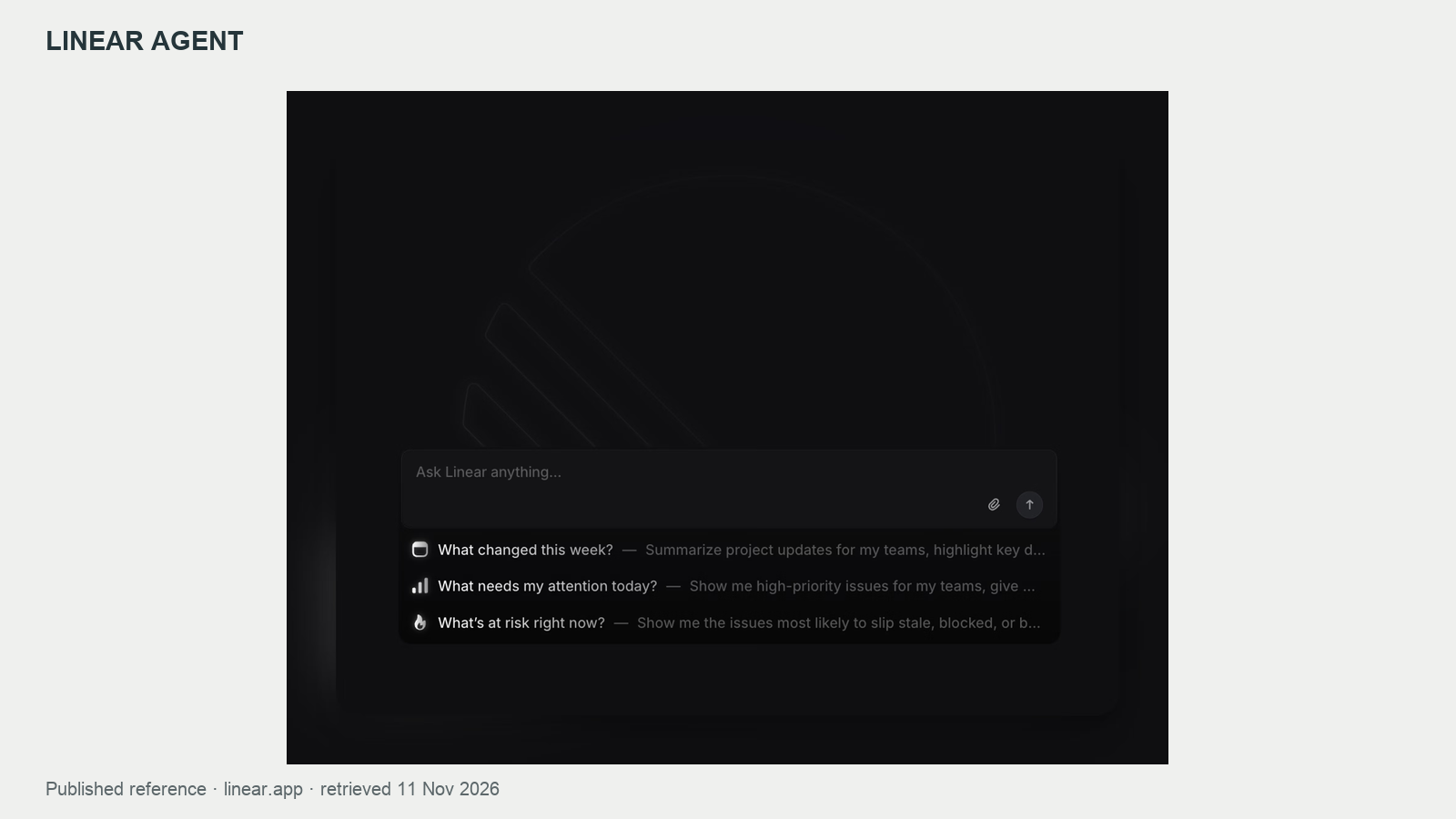
Linear’s documented agent chat is a real product reference for keeping task context available. Example content belongs to the published demonstration. Credit: Linear Agent / official documentation.
Completion is a state change, not an instruction to accept. When the result arrives, return to the original brief before reading the recommendations in detail. Check that the system worked on the correct material, preserved the stated constraints, and produced the requested kind of artifact. A well-written answer to a different question still creates rework.
Then use the acceptance test prepared during the interval. Mark claims that need verification, suggestions that depend on missing information, and changes that can be tried safely. Keep the distinction between a useful hypothesis and a supported finding. If the system summarizes research, inspect a sample of source links and actively look for evidence that complicates the story.
Decide what happens next in human terms: reject, revise, test, or adopt within a defined scope. Avoid creating a second waiting loop by responding with an unspecific “make it better.” Name the defect and the standard. If the problem is wrong evidence, changing tone will not solve it. If the problem is unclear priority, requesting more recommendations may make it worse.
Design waiting states that support this behavior
The product can help people leave and return without losing context. Keep the request and relevant version visible beside the result. Distinguish a draft from an action already taken. Provide a concise summary of changes and a way to inspect the full artifact. A result should remain findable after a notification is dismissed or the user changes devices.
For accessible status communication, the W3C guidance on status messages provides an important reference. Status updates need to be available to assistive technology without unnecessarily moving focus. This does not mean announcing every internal step. The specific implementation should communicate meaningful changes while preserving the person's ability to continue reading and operating the interface.
Microsoft's human-AI interaction guidelines are another useful reference for communicating capability and supporting correction. The working routine in this article is an additional editorial proposal. Neither reference establishes that a particular companion task increases productivity. Teams should test the actual interaction: can people identify whether work is active, leave safely, return accurately and challenge the result?
Try a one-week observation exercise
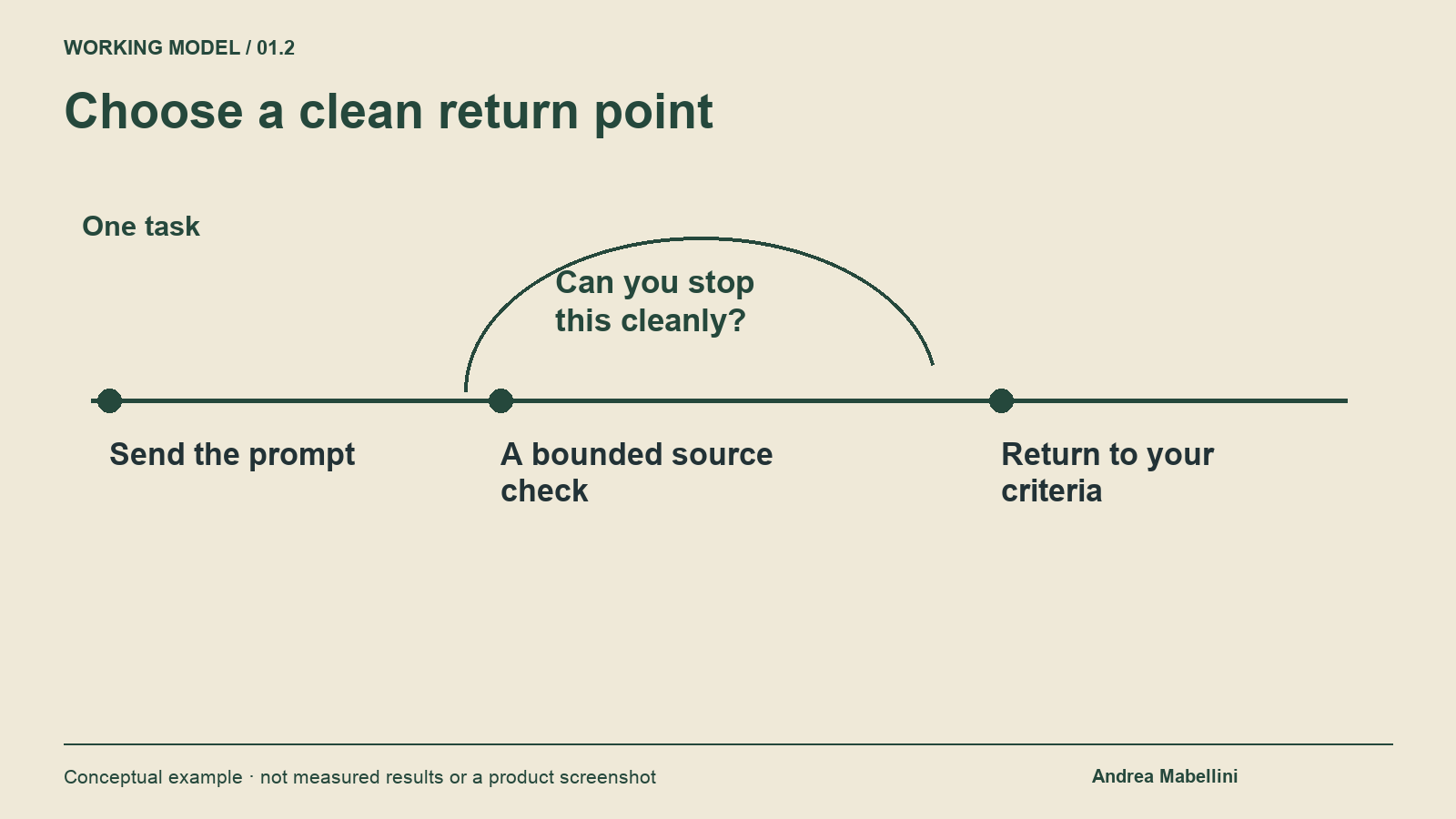
Choose a clean return point. Original conceptual working model; no measured results. Credit: Original editorial visual prepared for Andrea Mabellini.
Choose one recurring activity, such as preparing a design critique. For a week, note the request, whether you switched away, the companion activity, and what was required to resume. Keep the record lightweight. You are looking for patterns in your own workflow, not collecting surveillance data about teammates or constructing a simplistic individual productivity ranking.
Include review effort and rework. A faster first draft may create more checking later. A pause that appears idle may improve attention at the point where judgment matters. Record whether the output answered the right question and whether you caught an unsupported assumption. Those observations are more informative than counting how many prompts you managed to submit.
At the end, change one habit. You might stop opening messaging apps during short jobs, prepare acceptance criteria earlier, or reserve background processing for predictable blocks. If the routine adds friction without improving your decisions, simplify it. A useful method should fit the work rather than demand that every minute be reorganized around an AI service.
A worked example: reviewing an enterprise onboarding flow
Imagine a hypothetical UX Lead asking an AI tool to critique onboarding for an enterprise workspace. The prompt includes a flow, approved research extracts and two constraints: administrators must choose a data region, and invited employees cannot change organization settings. The requested output is a list of concerns with evidence references, not edits to the design file.
While the system works, the lead writes three rejection conditions. A recommendation fails if it removes the administrator decision, confuses invitation with account ownership, or calls a simulated concern a research finding. Next, the lead finds the source note explaining why administrators hesitate at the region step. The note describes uncertainty about consequences, not a desire to skip the decision.
The AI returns a suggestion to postpone region selection until after activation. The suggestion is attractive because it shortens the visible flow. The prepared criteria expose the problem immediately: the recommendation violates a constraint and solves an assumed motivation. The lead requests an alternative that preserves selection while explaining its effect, then tests the revised explanation with appropriate participants.
Nothing in this example requires filling every waiting second. The value comes from arranging attention so that an attractive answer meets an independent standard. Some intervals will support a source check. Others will support a stretch, a breath or simply remaining with the question. For a UX Lead, the best use of AI processing time is whatever makes the next human decision more accurate, coherent and recoverable.
Sources and further reading
- Microsoft Research — Guidelines for Human-AI Interaction — Communication, correction and behavior over time; not evidence for a productivity percentage.
- W3C — Understanding Status Messages — Accessible communication of status; not a complete accessibility evaluation.