The least useful way to use ChatGPT as a product designer is also the most common: “Give me ideas for this screen.”
The result is usually fine. It is also usually generic, because the prompt contains almost none of the information that makes your product difficult.
The workflows below are different. Each one gives ChatGPT a specific job inside a broader design process. The tool accelerates analysis, drafting or exploration; the designer remains responsible for evidence, decisions and quality.
1. Turn raw research notes into a traceable synthesis
Give ChatGPT interview notes or usability observations and ask for structured themes.
Prompt: “Group these observations into themes. For each theme, list supporting evidence, contradictions, affected user goal and design implication. Do not invent evidence. If a theme has fewer than two supporting observations, label it weak signal.”
This produces a better starting point than “summarize these interviews.”
2. Create a research readout for different audiences
The same study needs different communication for designers, PMs and executives.
Ask ChatGPT to transform the same evidence into:
- a detailed synthesis;
- a five-minute stakeholder readout;
- a one-page decision memo;
- a list of product risks;
- a prioritized opportunity set.
The insight stays constant; the communication changes.
3. Improve UX copy without losing product context
Instead of “rewrite this button,” provide the user state and consequence.
Prompt: “The user is about to permanently remove a teammate from the workspace. Rewrite this confirmation modal. Requirements: clear consequence, no fear language, primary action explicit, cancel action neutral, maximum 45 words.”
Now the model is solving a communication problem, not performing synonym replacement.
4. Run a pre-critique pass
Provide screenshots or a description of a flow and request critique through specific lenses.
- task clarity;
- information hierarchy;
- error prevention;
- consistency;
- accessibility;
- trust;
- unnecessary cognitive load.
Ask it to separate observations from recommendations. This forces a cleaner critique structure.

A task board illustrates visible work and traceability. Credit: Paymo / Unsplash. Source.
5. Turn a vague stakeholder request into design questions
Stakeholder requests often arrive as solutions: “We need a dashboard,” “Add AI,” “Make onboarding shorter.”
Give ChatGPT the request and ask it to produce:
- assumptions;
- missing information;
- user questions;
- business questions;
- technical questions;
- risks if the proposed solution is accepted literally.
This is one of the fastest ways to turn noise into a useful discovery conversation.
6. Design a workshop that produces decisions
Do not ask for “a workshop agenda.” Define the decision required.
Prompt: “Design a 90-minute workshop for six people to choose which onboarding problem to address this quarter. Inputs: five research findings and three business constraints. Output must be one prioritized problem statement and owners for next steps. Avoid icebreakers.”
ChatGPT is very good at structuring time when the desired outcome is explicit.
7. Stress-test a user flow
Paste the steps and ask the model to attack the flow from multiple scenarios:
- first-time user;
- returning expert;
- mobile user;
- slow network;
- permission mismatch;
- incomplete data;
- user changes their mind halfway through.
The output is not validation. It is a list of edge cases to examine before validation.
8. Build design-system documentation drafts
Design-system teams spend huge amounts of time documenting obvious but necessary details.
Given component properties and real examples, ChatGPT can draft:
- when to use;
- when not to use;
- content guidance;
- accessibility notes;
- variant descriptions;
- common mistakes.
The designer should review every statement, but the blank-page cost disappears.
9. Compare alternatives using explicit criteria
When a team has three possible designs, discussions often collapse into preferences.
Provide the alternatives and evaluation criteria: learnability, speed, error risk, scalability, accessibility, engineering cost.
Ask ChatGPT to build a comparison matrix and identify where evidence is missing.
The goal is not to have AI choose. The goal is to make the decision structure visible.
10. Create a design QA checklist from the feature itself
Before handoff, give ChatGPT the feature brief and flow. Ask for a QA checklist covering:
- happy path;
- empty states;
- errors;
- loading;
- permissions;
- responsive behavior;
- keyboard interaction;
- analytics events;
- content edge cases.
This is particularly useful for complex enterprise flows where missing states are expensive.
Bonus: use ChatGPT to prepare better prompts for other tools
Designers increasingly work across Figma Agent, coding agents, image generators and research tools. ChatGPT can act as a prompt planner.
Give it the goal, context and tool constraints. Ask it to produce the shortest prompt that contains enough information for the next system to work reliably.

A useful evidence record preserves applicability and review triggers. The entries illustrate structure, not research results. Credit: Original editorial visual prepared for Andrea Mabellini. Source: Original explanatory diagram
This is more valuable than maintaining a giant library of universal “magic prompts.”
The pattern behind all ten workflows
The useful workflows share four traits:
- They start with real context.
- They define the output format.
- They separate evidence from generated interpretation.
- They leave an explicit review step for the designer.
Without those constraints, ChatGPT tends to produce plausible generic work. With them, it becomes a strong accelerator.
A reusable prompt structure
I use this simple scaffold:
Context: What product, user and situation are we dealing with?
Goal: What decision or artifact do I need?
Evidence: What source material may the model use?
Constraints: What must it not invent or change?
Output: What exact structure should the response follow?
Review: What uncertainty should it flag rather than resolve?
This structure is much more reliable than clever role-playing.
Where ChatGPT should not lead
Do not let it manufacture research evidence. Do not use it to decide ethical trade-offs that require accountability. Do not accept accessibility claims without verification. Do not paste confidential information into tools that are not approved for it.
And do not confuse speed of output with quality of thinking.
The competitive advantage is not prompting
Prompting techniques diffuse quickly. Everyone can copy them.
The durable advantage is having better context, cleaner research, stronger design systems, sharper product judgment and a workflow that knows when AI should stop.
ChatGPT can save a product designer hours every week.
But the best use of those saved hours is not to produce more screens. It is to spend more time on the decisions that deserve a human.
How to keep these workflows from becoming generic
For every task, give ChatGPT the artifacts that contain the real constraints: brief, research notes, design-system rules, terminology, analytics summary or screenshots. The less product context you provide, the more the model has to fill with common patterns.
Common patterns are useful for brainstorming. They are dangerous when mistaken for product knowledge.
Workflow 1 expanded: research synthesis template
Ask for a table with columns: theme, evidence, participant IDs, contradiction, confidence, product implication and open question.
Then ask ChatGPT to produce a second list containing only contradictions and outliers. This prevents the synthesis from becoming a neat average that erases important differences.

Dovetail’s published search example organizes material across sources; retrieval alone does not establish that a claim is still valid. Credit: Dovetail. Source.
Workflow 2 expanded: executive communication
Give the same study to ChatGPT and ask for a six-slide narrative, but constrain every slide to one supported claim and one decision implication. This is a strong way to prevent stakeholder decks from becoming research summaries with no consequence.
Workflow 3 expanded: UX writing review
Ask ChatGPT to create a terminology inventory for a flow. If the product uses “workspace,” “team,” “organization” and “account” inconsistently, the model can surface every occurrence and propose a normalized vocabulary.
Do not accept changes automatically. Terminology often carries product architecture.
Workflow 4 expanded: critique with evidence
Provide a research finding and ask the model to critique only through that lens.
Example: “Users hesitate because they do not understand who can see a shared report. Review this flow specifically for visibility, permission and sharing cues. Do not comment on unrelated visual style.”
This produces a much sharper critique.
Workflow 5 expanded: stakeholder reframing
When somebody asks for “AI in the dashboard,” ask ChatGPT to generate five different user problems that request might be attempting to solve, then list evidence required for each.
The conversation moves from feature theater to product reasoning.
Workflow 6 expanded: workshop facilitation
Ask ChatGPT to prepare not only the agenda but facilitator instructions, timeboxes, expected output and fallback if the group stalls.
After the workshop, paste the notes and ask for decisions, unresolved questions, owners and deadlines. You have converted an event into an operational artifact.
Workflow 7 expanded: flow stress test
Ask the model to create a state matrix: rows are steps in the flow; columns are normal, loading, empty, error, permission, cancellation and return-later states. This makes gaps visually obvious.
Workflow 8 expanded: design-system documentation
Provide component anatomy, variants and examples. Ask for documentation in a consistent template. Then have a designer review semantics and an engineer review implementation claims.
This is an excellent place to standardize recurring work.
Workflow 9 expanded: decision matrix
Do not let the model invent scores. Ask it to define evaluation questions and list evidence for each alternative. Humans can decide weighting.
A design decision becomes auditable instead of “we liked option B.”
Workflow 10 expanded: QA
Ask ChatGPT to split the checklist into design QA, content QA, accessibility QA and analytics QA. Give every item an expected outcome.
You can then paste the final checklist into Jira, Linear or your handoff document.
Use files rather than repeatedly explaining context
For recurring projects, keep stable context in reusable documents: product principles, design-system rules, research repository conventions, UX-writing vocabulary and feature constraints.
The model should consume the source rather than rely on your memory of the source.
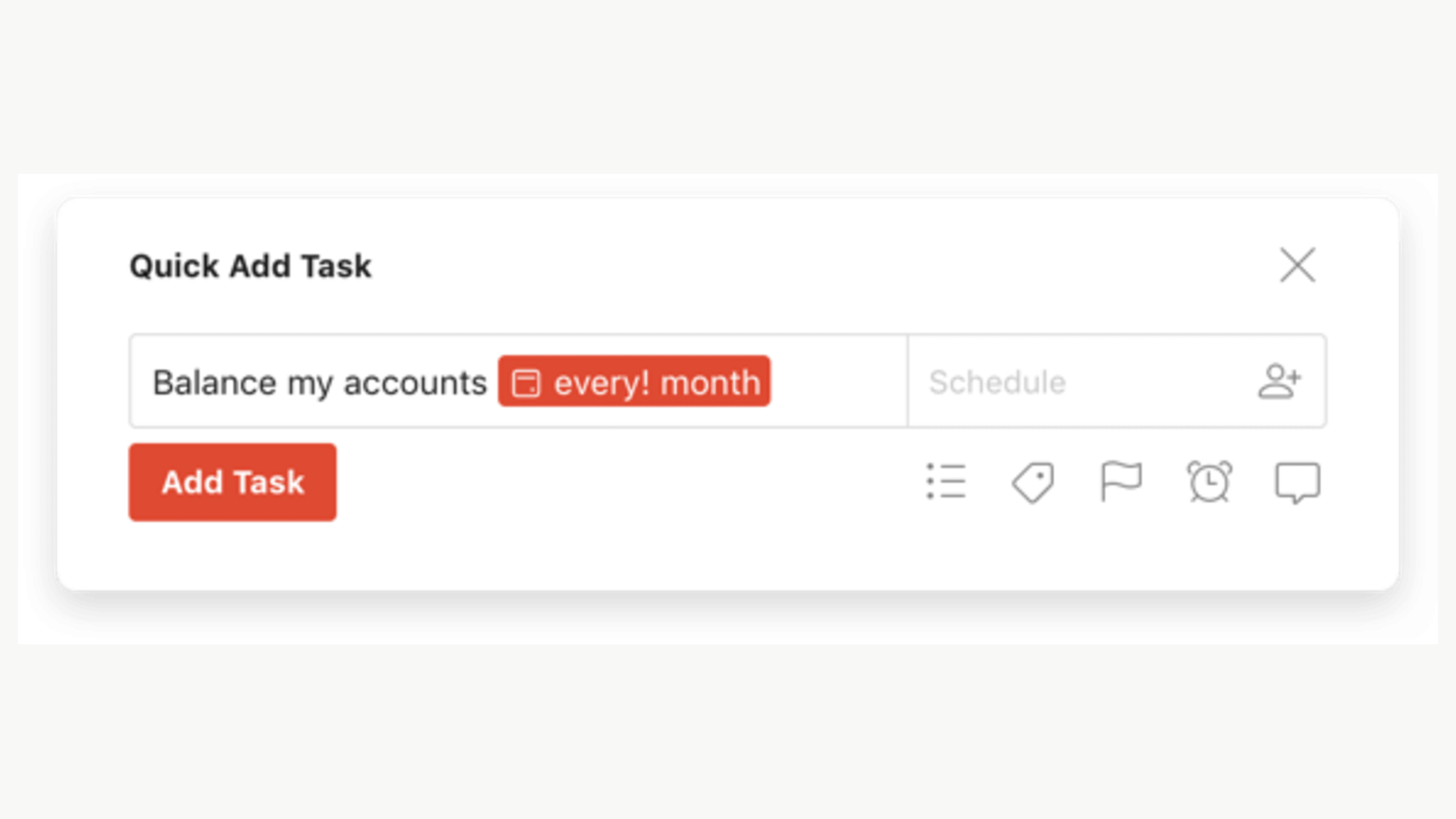
Published Todoist quick-add example illustrates a compact, contextual interaction. Credit: Todoist. Source.
Ask for uncertainty explicitly
Add this line to important prompts:
“If the supplied material does not support a conclusion, say that the evidence is missing rather than filling the gap from general knowledge.”
This one constraint dramatically improves research-related use.
Create a review layer
For important outputs, use a second pass with a different goal. First generate. Then critique the generated output against the original constraints.
Example: draft a workshop, then ask “Which activities do not directly contribute to the required decision?” Remove them.
Measure the time saved
Pick three workflows and estimate the previous manual time. After a month, compare. If a workflow requires so much correction that it saves nothing, stop using it.
AI adoption should be a design decision too.
The best personal AI system is boring
A mature workflow does not require a dazzling prompt every morning. It uses a few repeatable operations, consistent inputs and known review standards.
That is how ChatGPT becomes part of professional design practice instead of another source of experimentation overhead.
Practical review pass 1: turning the workflow into a team habit
Before adopting this workflow in a real product team, run one final review. What problem is this solving? Which part of the output comes from evidence and which part comes from generation? What system or guideline should constrain the result? Who is accountable for the final decision? What could go wrong if the output is confidently wrong?
Then review the artifact with the people who will live with the consequence. Designers should inspect interaction quality and consistency. Researchers should protect evidence quality. Engineers should review technical implications. Product managers should confirm that the work still addresses the intended outcome. AI can compress the path between these disciplines, but it should not erase their different forms of expertise.
Finally, document what worked. If a prompt, setup or sequence repeatedly saves time, turn it into a reusable team workflow. If it repeatedly creates cleanup, stop using it. The goal is not maximum AI usage. The goal is a better product-development system.
Practical review pass 2: turning the workflow into a team habit
Before adopting this workflow in a real product team, run one final review. What problem is this solving? Which part of the output comes from evidence and which part comes from generation? What system or guideline should constrain the result? Who is accountable for the final decision? What could go wrong if the output is confidently wrong?
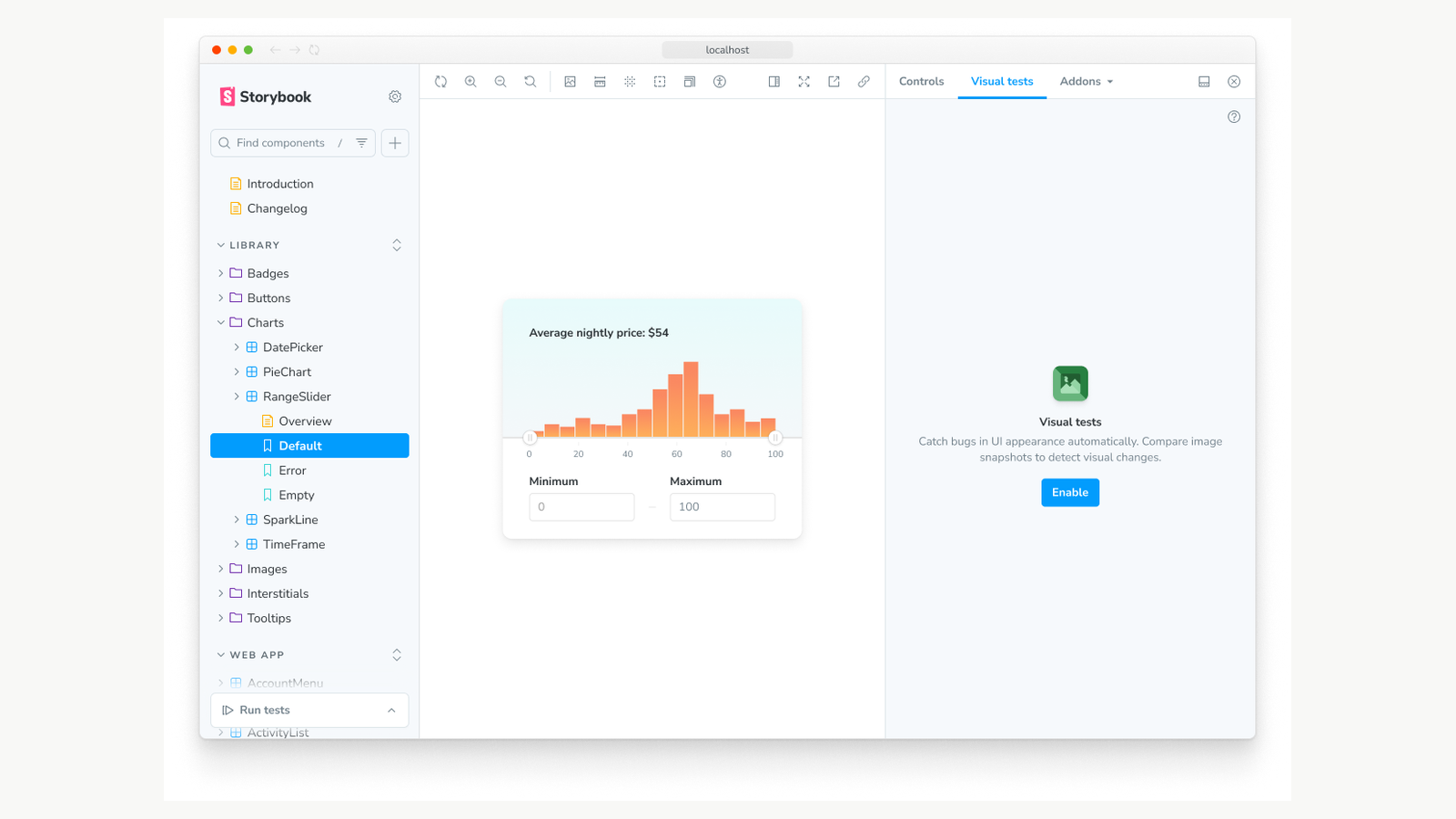
A component has an inspectable example and a review mechanism. Storybook’s published visual-testing example. Credit: Storybook. Source.
Then review the artifact with the people who will live with the consequence. Designers should inspect interaction quality and consistency. Researchers should protect evidence quality. Engineers should review technical implications. Product managers should confirm that the work still addresses the intended outcome. AI can compress the path between these disciplines, but it should not erase their different forms of expertise.
Finally, document what worked. If a prompt, setup or sequence repeatedly saves time, turn it into a reusable team workflow. If it repeatedly creates cleanup, stop using it. The goal is not maximum AI usage. The goal is a better product-development system.
Practical review pass 3: turning the workflow into a team habit
Before adopting this workflow in a real product team, run one final review. What problem is this solving? Which part of the output comes from evidence and which part comes from generation? What system or guideline should constrain the result? Who is accountable for the final decision? What could go wrong if the output is confidently wrong?
Then review the artifact with the people who will live with the consequence. Designers should inspect interaction quality and consistency. Researchers should protect evidence quality. Engineers should review technical implications. Product managers should confirm that the work still addresses the intended outcome. AI can compress the path between these disciplines, but it should not erase their different forms of expertise.
Finally, document what worked. If a prompt, setup or sequence repeatedly saves time, turn it into a reusable team workflow. If it repeatedly creates cleanup, stop using it. The goal is not maximum AI usage. The goal is a better product-development system.